ROLE
UX Designer
UX Researcher
Developer
TIMELINE
Spring 2025
6 weeks
TOOLS
Figma
HTML/CSS
Python + Flask
OVERVIEW
At the University of Washington, lost items are often shared through scattered Snapchat stories or word of mouth, making recovery unreliable and unclear.
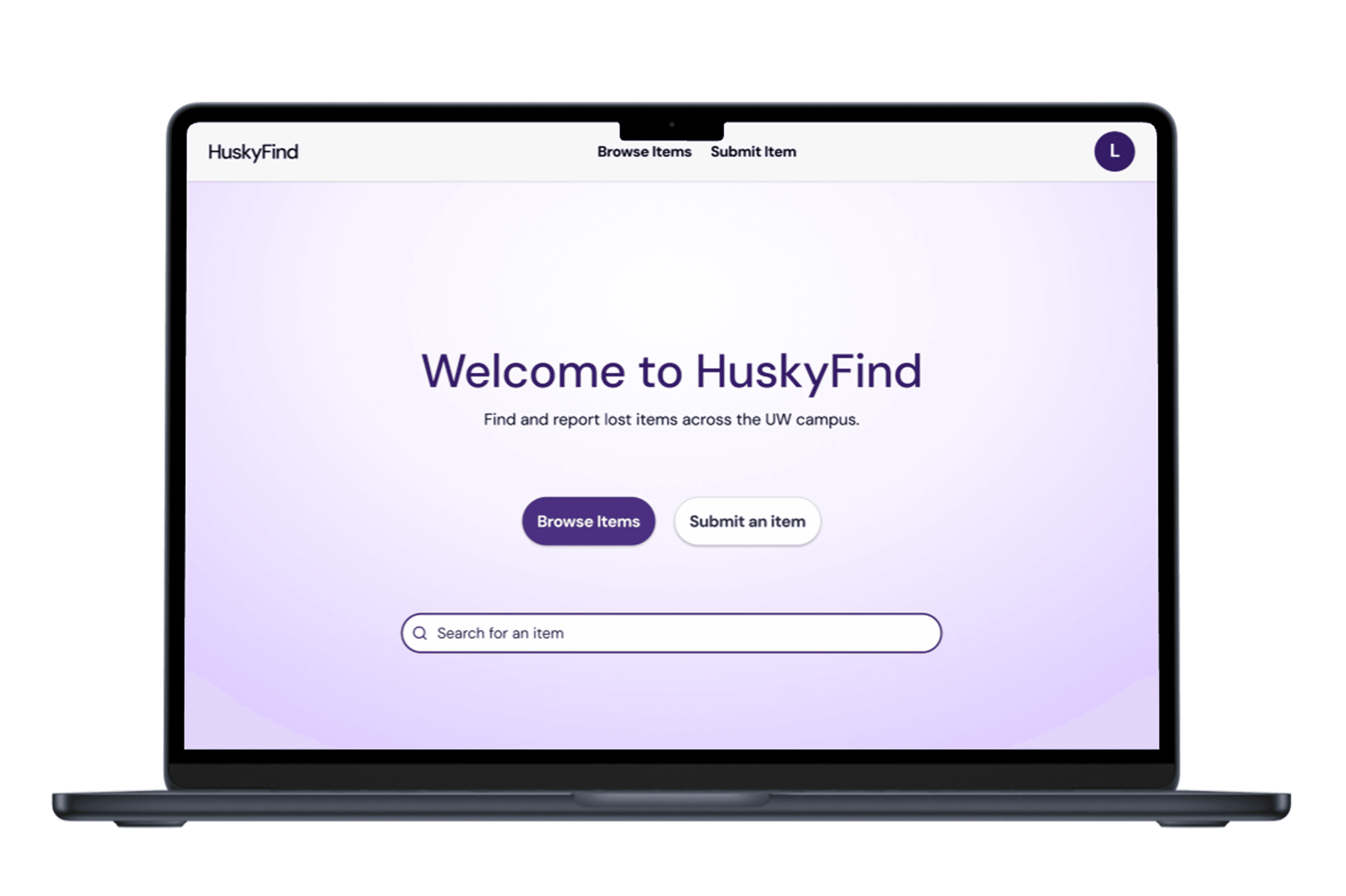
HuskyFind centralizes this process into a secure platform where students can post, browse, and claim items using their verified UW accounts.
01 USER RESEARCH
METHOD
Two 30-minute interviews to understand UW students’ experiences with losing, searching for, and recovering items on campus.
→
Recruitment: personal peer network
→
Criteria: current UW student, has lost or found an item at UW
INSIGHTS
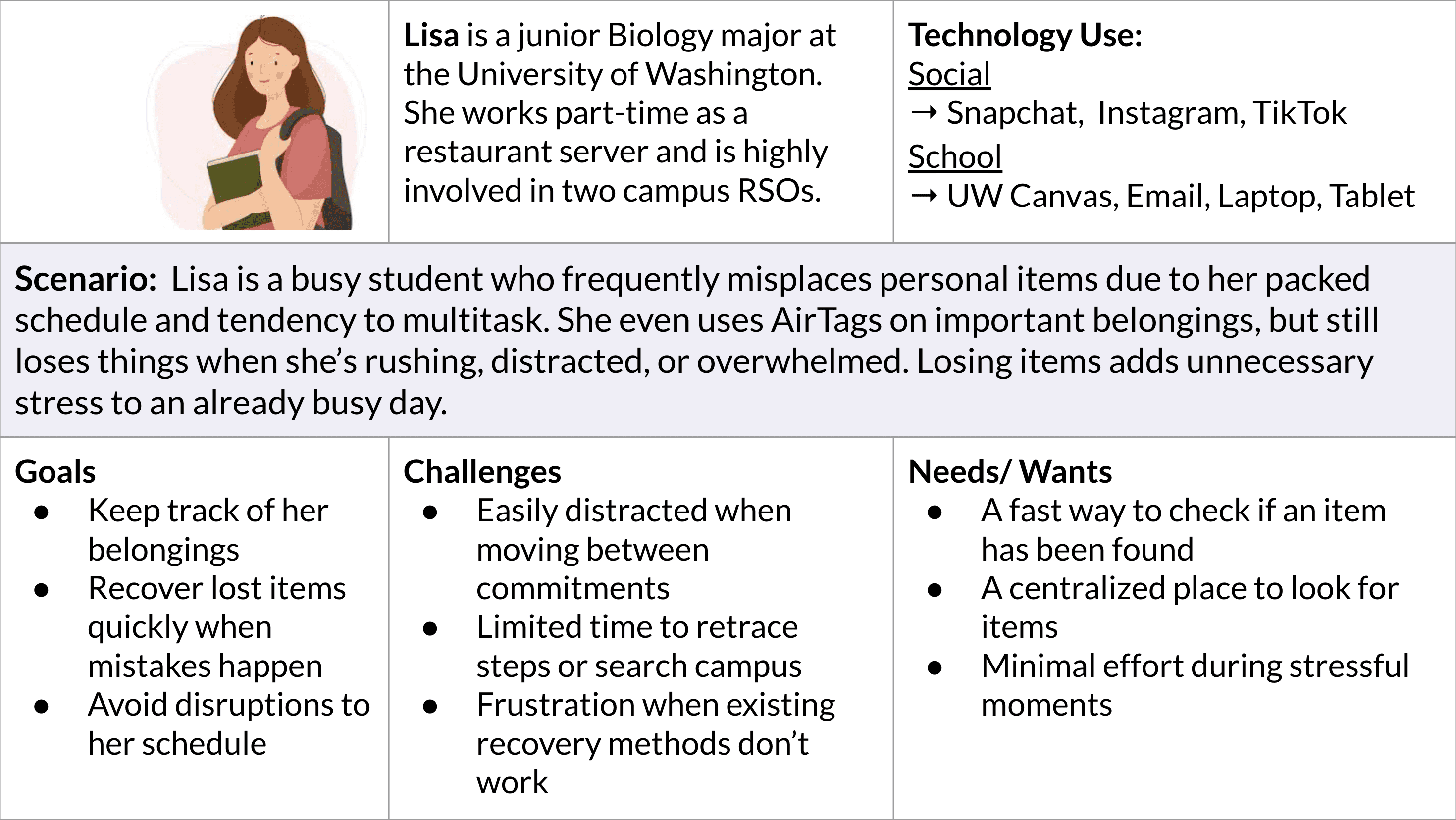
01 Students rely on fragmented platforms to find lost items
→
Snapchat stories and calling campus buildings are inconsistent and ineffective.
02 Students feel uncertain reaching out to strangers
→
Sharing personal contact information publicly feels risky or uncomfortable
03 Time pressure makes item recovery stressful
→
Between classes, work, and exams, students don’t have time to search extensively or follow up across multiple channels
PERSONA
DESIGN QUESTION
How might we create a centralized platform that helps UW students recover lost items quickly without relying on social media?
02 IDEATION
IDEA 1
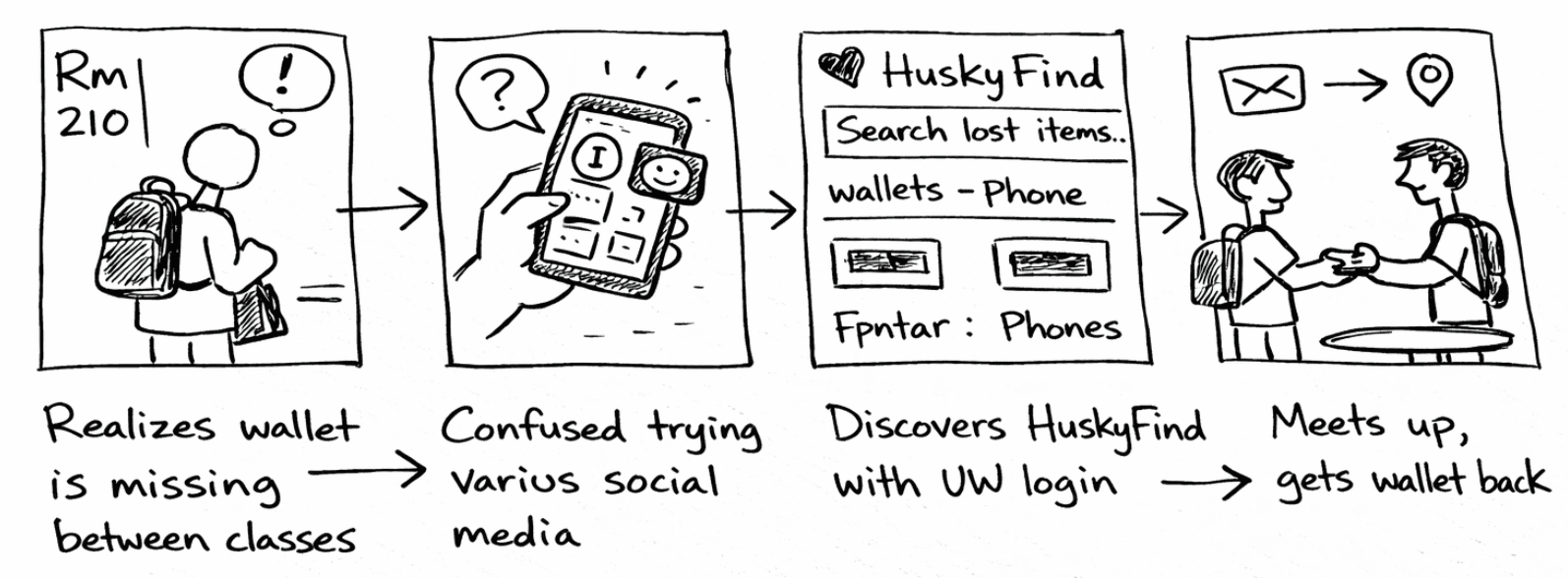
Digital hub of lost items
IDEA 2
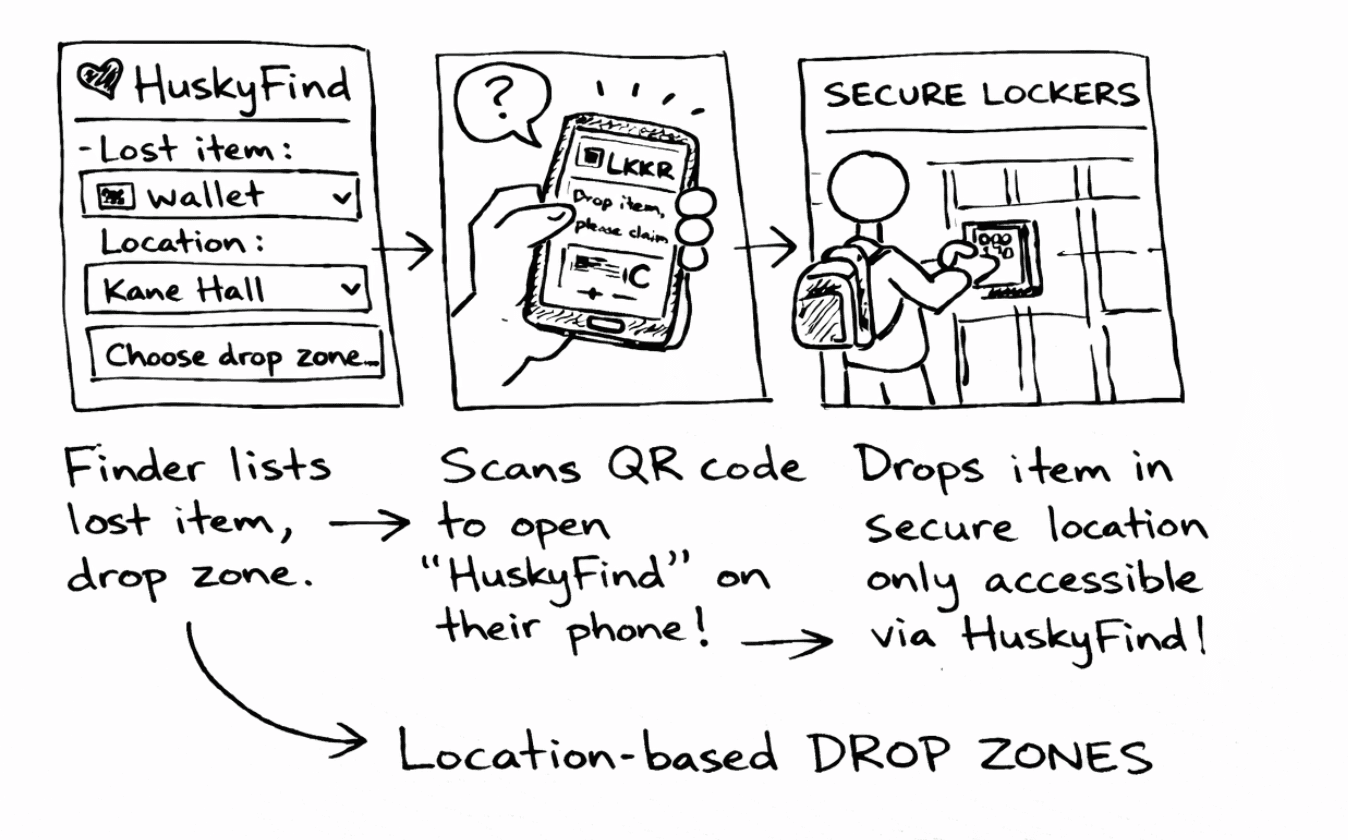
Location-based drop zones for item recovery
SELECTED CONCEPT
→
Digital hub of lost items
Compared to physical drop zones, a fully digital solution better supports quick recovery and scales easily across campus.
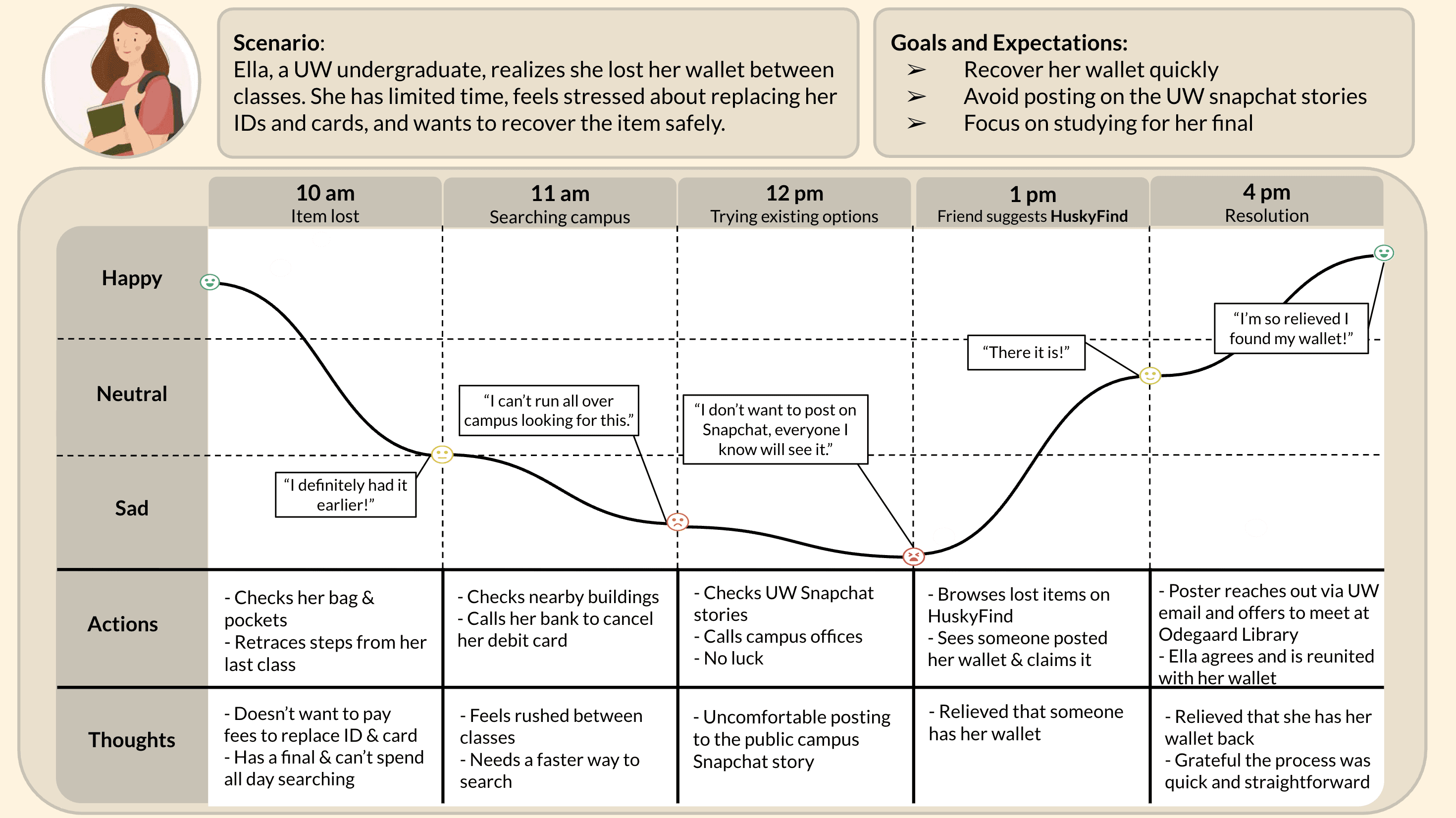
USER JOURNEY MAP
03 INITIAL DESIGN
CONSIDERATIONS
I kept the design intentionally simple to ensure it was feasible within the assignment’s requirements:
→
Implement application in Flask and HTML/CSS
→
Integrate an API
PAPER WIREFRAMES
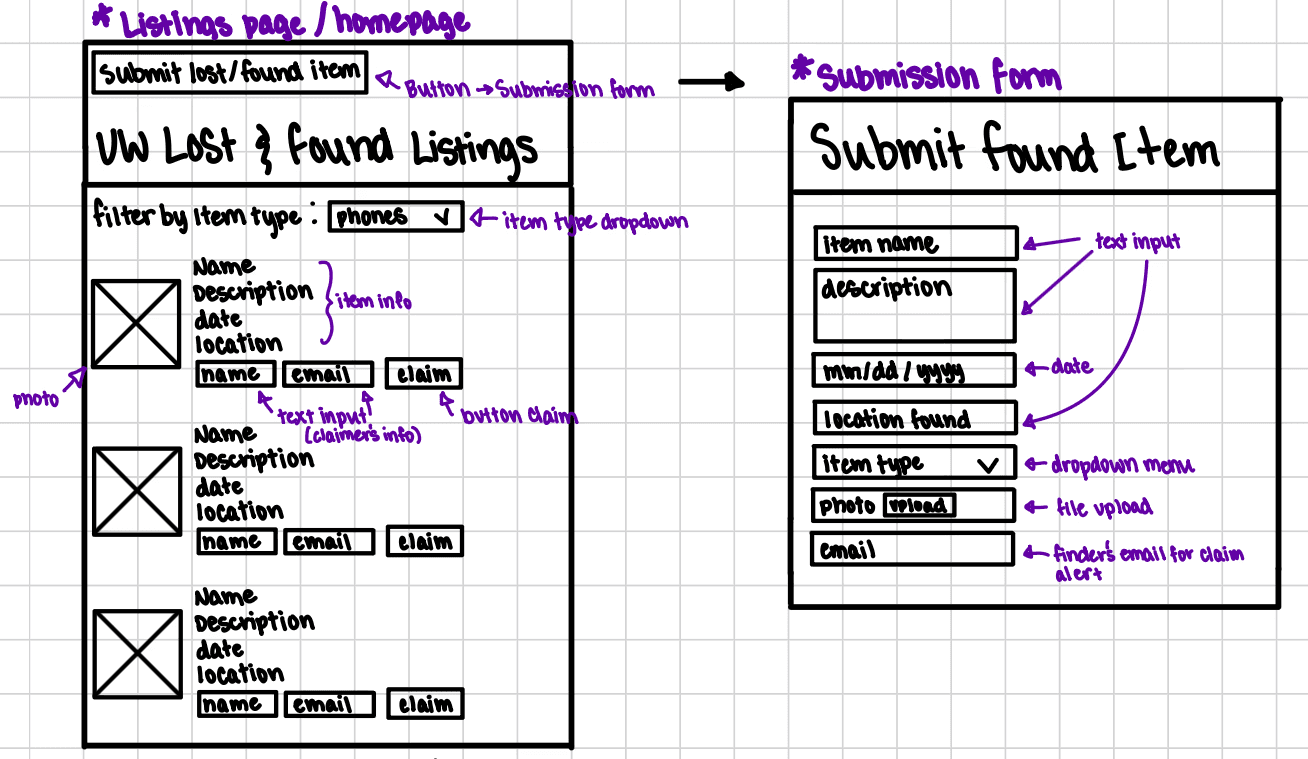
01 Each listing contains item photo & information with a claim option
02 Submission form to post found items
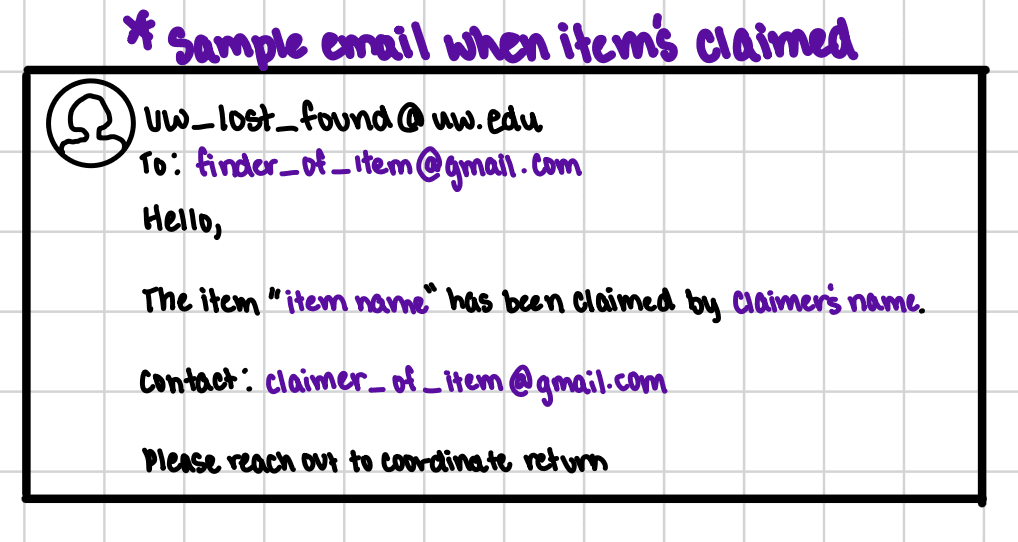
03 Automated email notification sent to posters when an item is claimed, implemented using EmailJS API
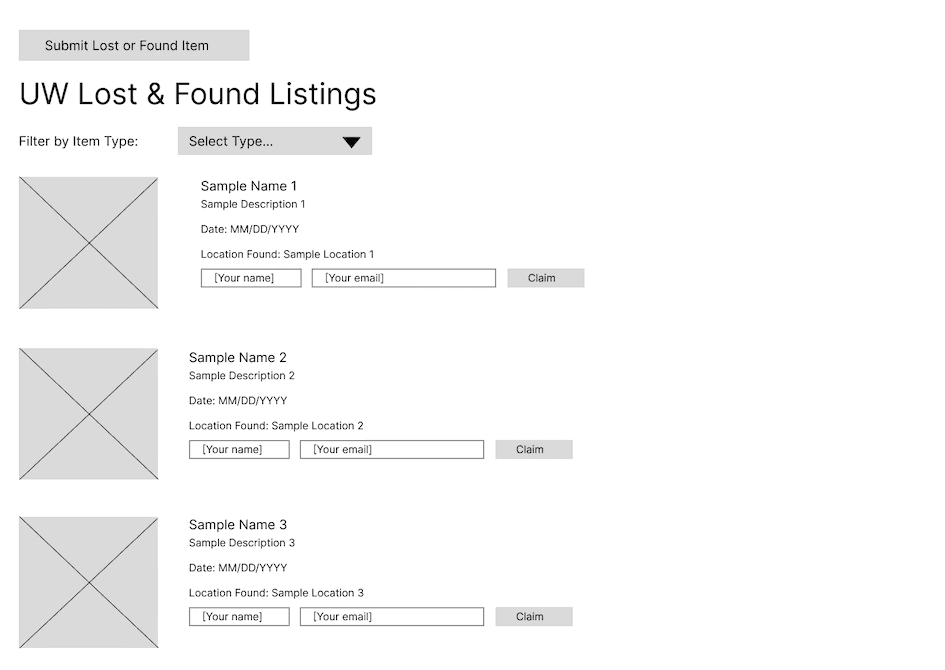
DIGITAL WIREFRAMES
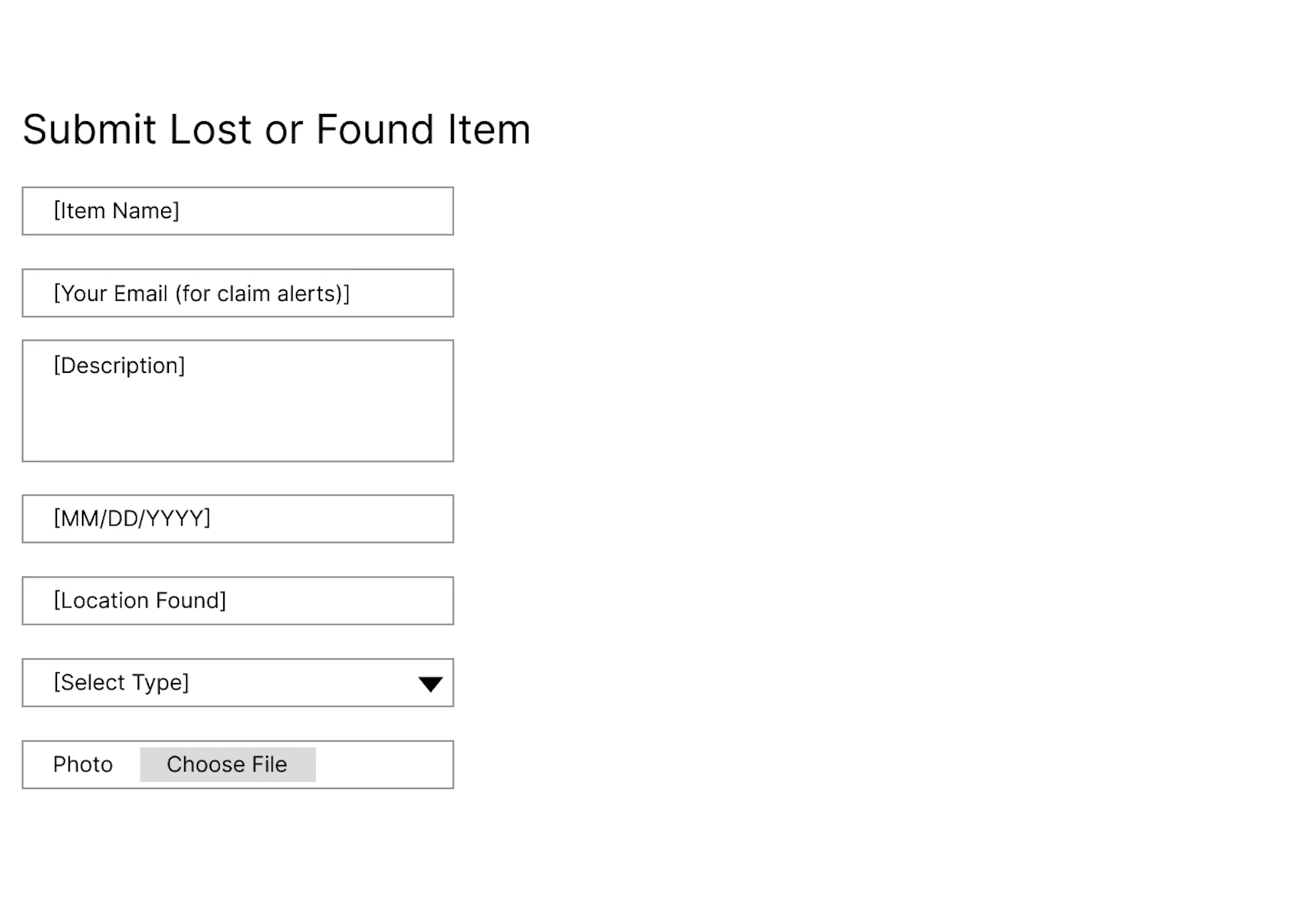
MOCKUPS
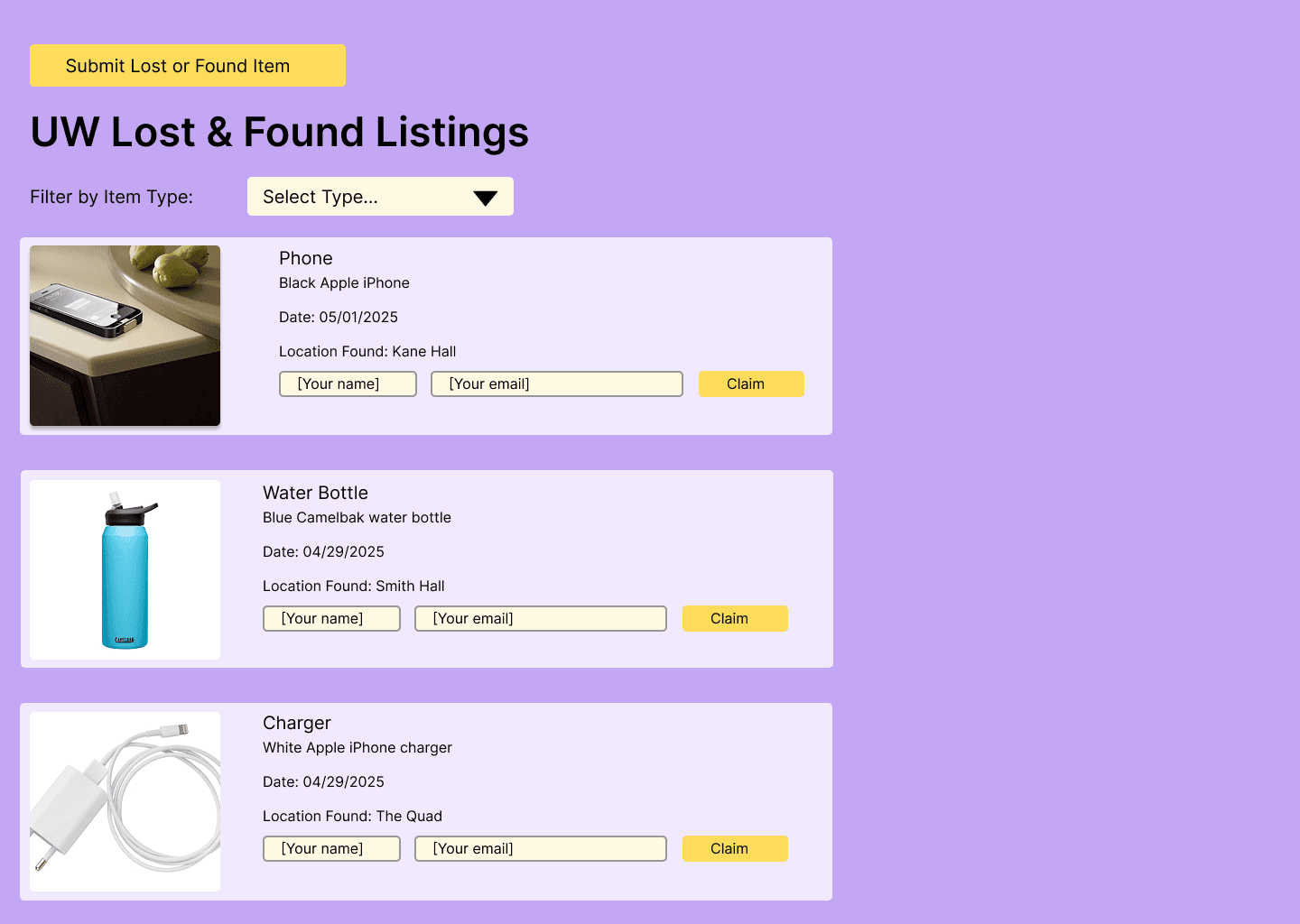
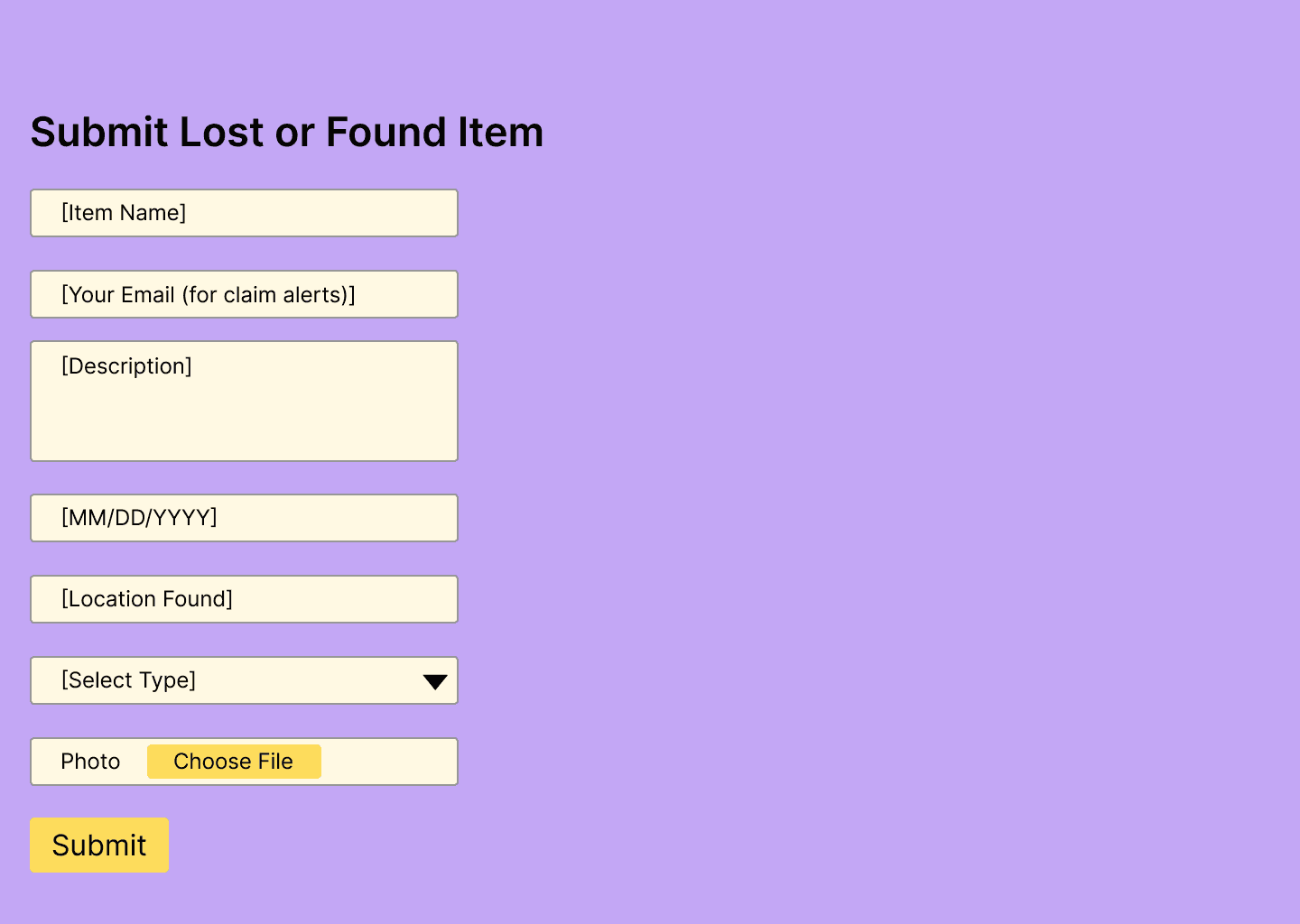
CODED PRODUCT
SUCCESSES
→
Built a working end-to-end product
→
Confirmed the core concept solved a real problem based off user research
SHORTCOMINGS
→
Text and buttons rendered too small in the coded version, impacting readability and usability
→
The interface felt dated due to minimal styling and limited spacing
→
Prioritizing feasibility over polish highlighted the design to development gap
04 REDESIGN
I redesigned the interface to improve usability and visual clarity:
→
Increase text size and button prominence for readability
→
Establish clearer visual hierarchy and spacing
→
Modernize the interface with consistent components and styling
→
Make system feedback and next steps explicit
ADDING NETID LOGIN
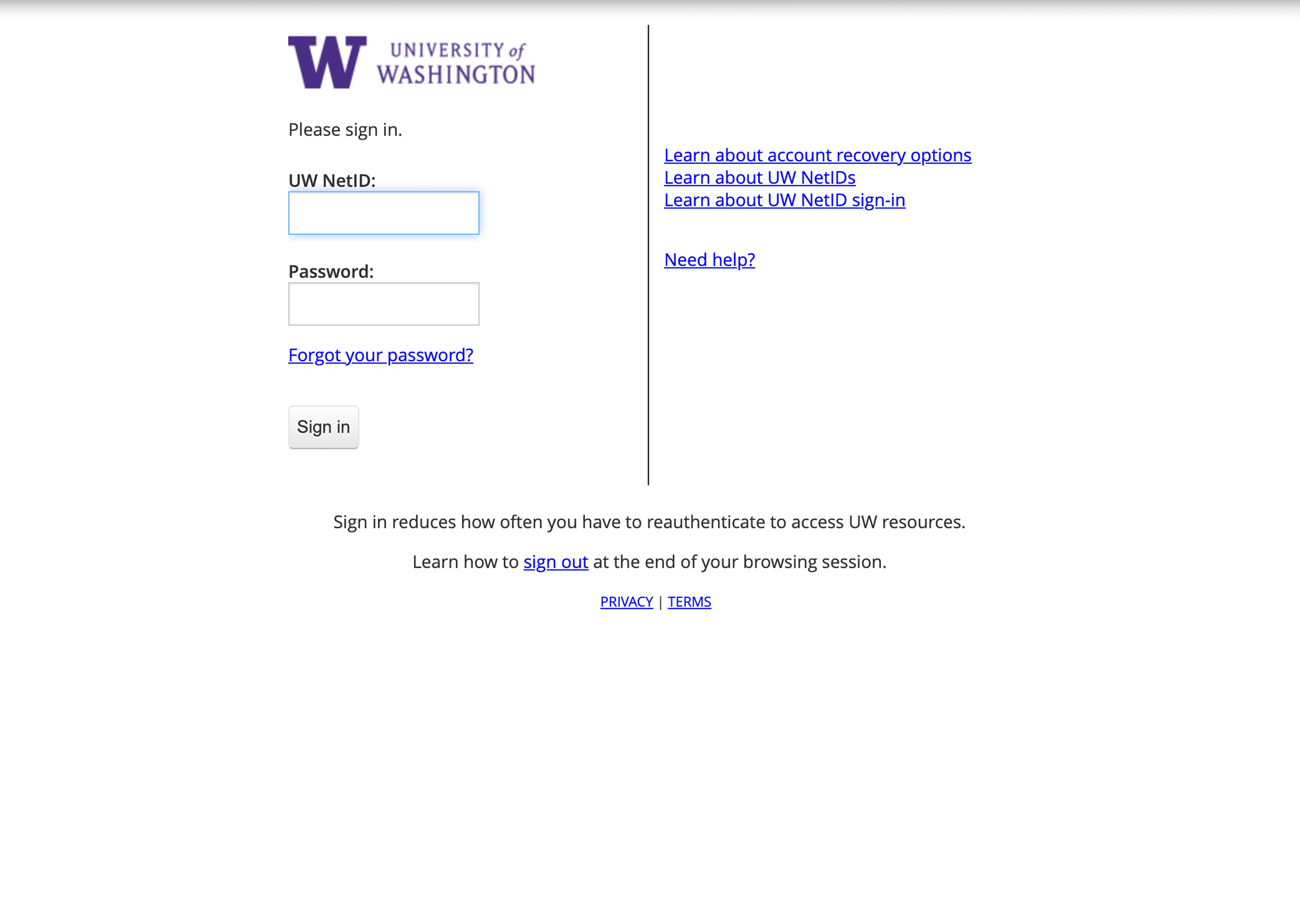
UW NetID login was added to verify users and streamline communication, eliminating the need to input contact information.
MOCKUPS


CLAIM FLOW
SUCCESSES
→
Improved readability and visual hierarchy
→
Clearer claim flow with explicit feedback
→
Authentication increased trust and reduced false claims
SHORTCOMINGS
→
Visual polish could be further refined with more time
→
Claim validation relies on user honesty
→
Limited testing due to course constraints
05 REFLECTION
NEXT STEPS
→
Implement UW NetID authentication and redesigned UI into the developed product
→
Add validation to the item claim flow
→
Conduct usability testing with a broader group of students
TAKEAWAYS
→
Designing within constraints requires intentional tradeoffs
→
The implemented product may differ from the intended design
→
Iteration is an ongoing and necessary part of the design process