COURSE
TEAM
TIMELINE
Designing an anonymous peer support platform to help university students take the first step toward mental health support.
01 OVERVIEW
PROBLEM
How might we help UW students take the first step toward mental health support in a way that feels safe, private, and approachable?
SOLUTION
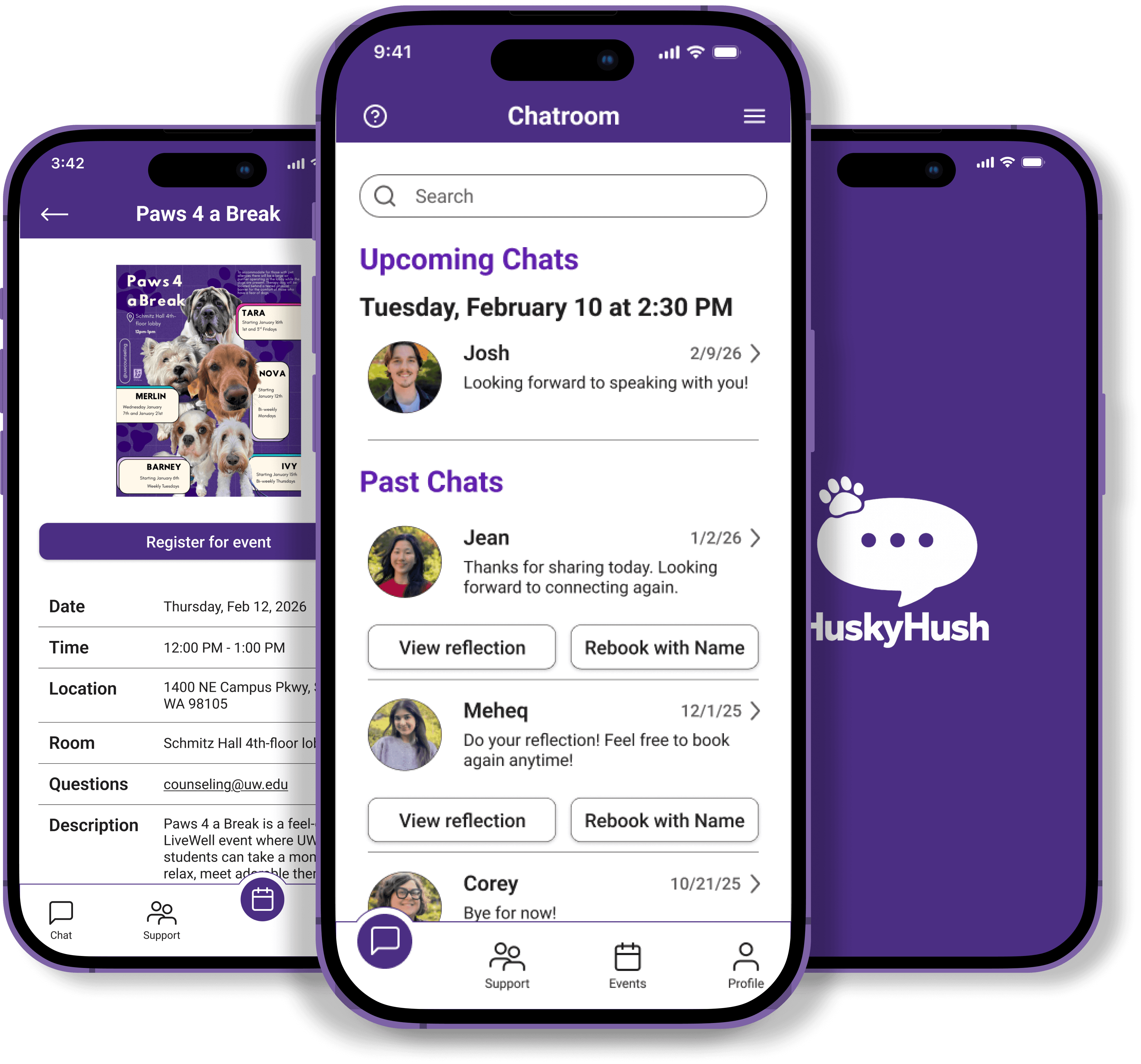
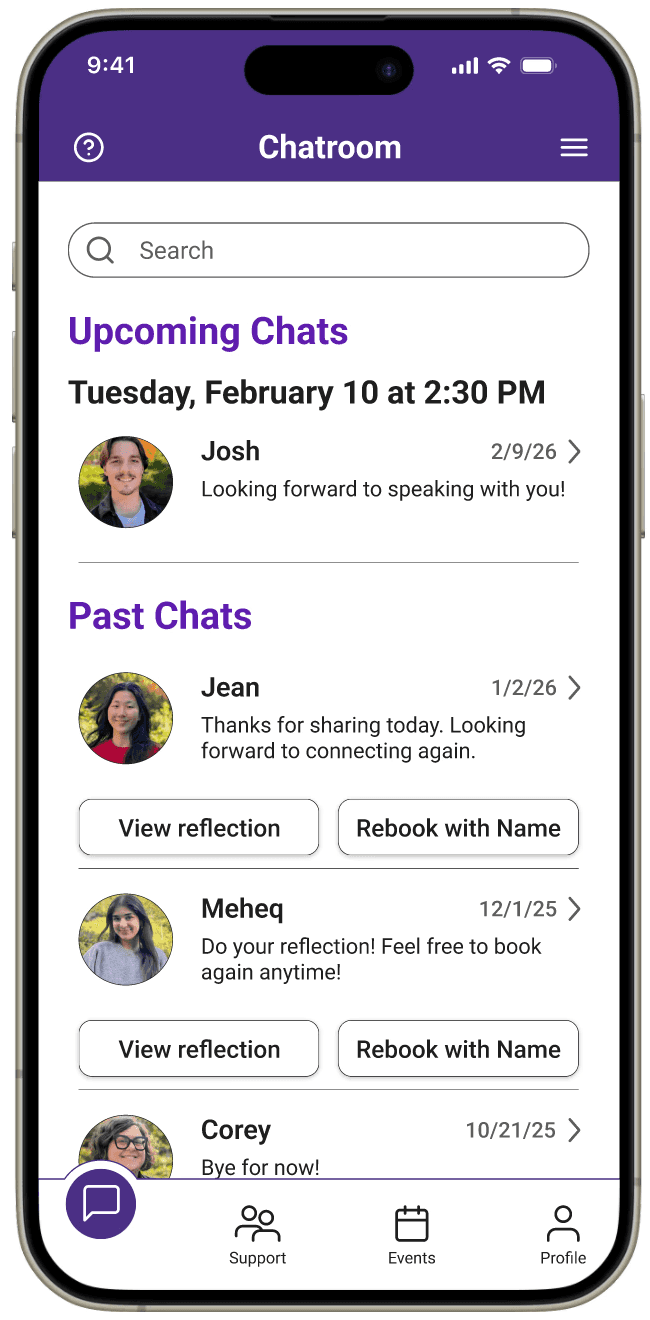
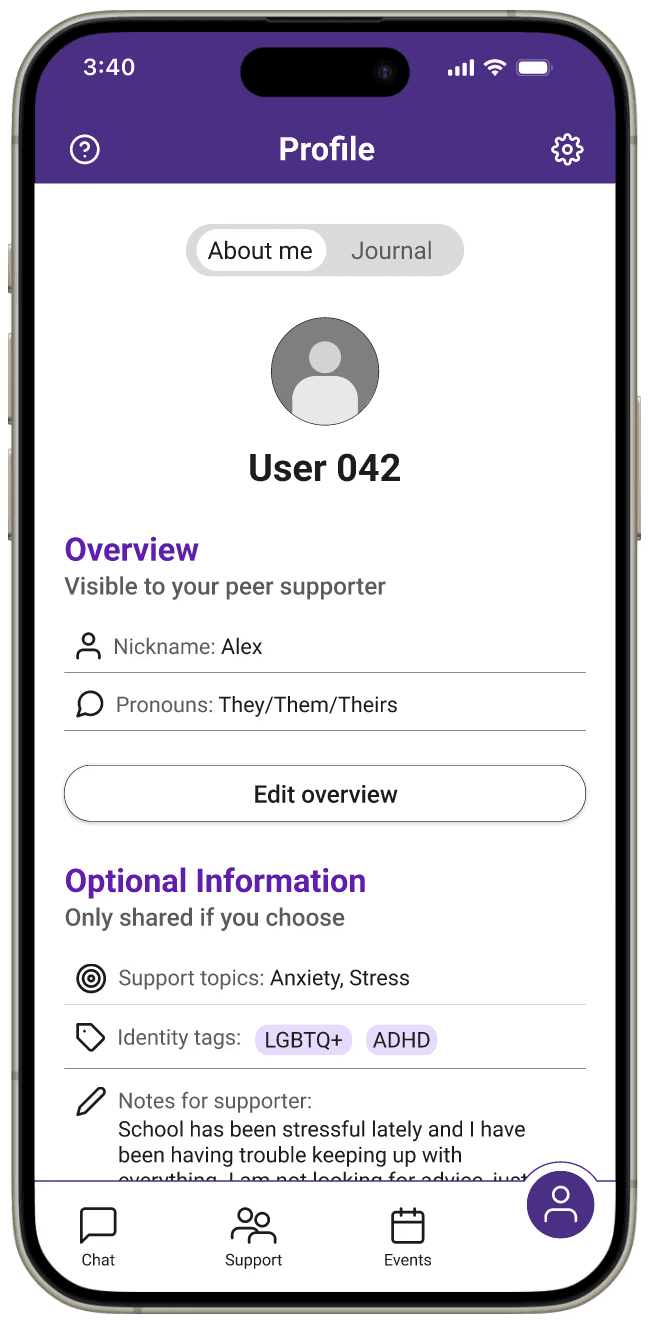
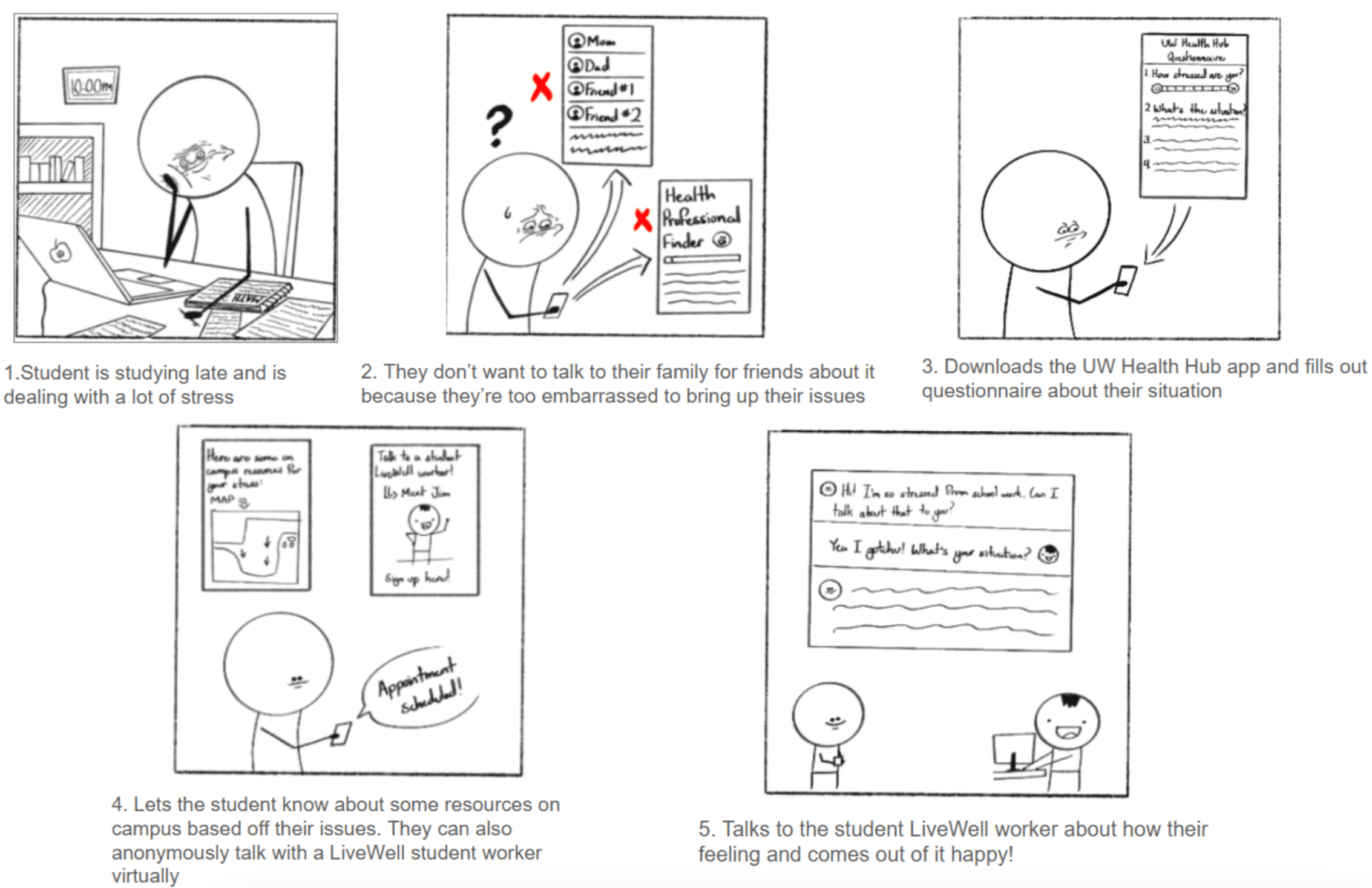
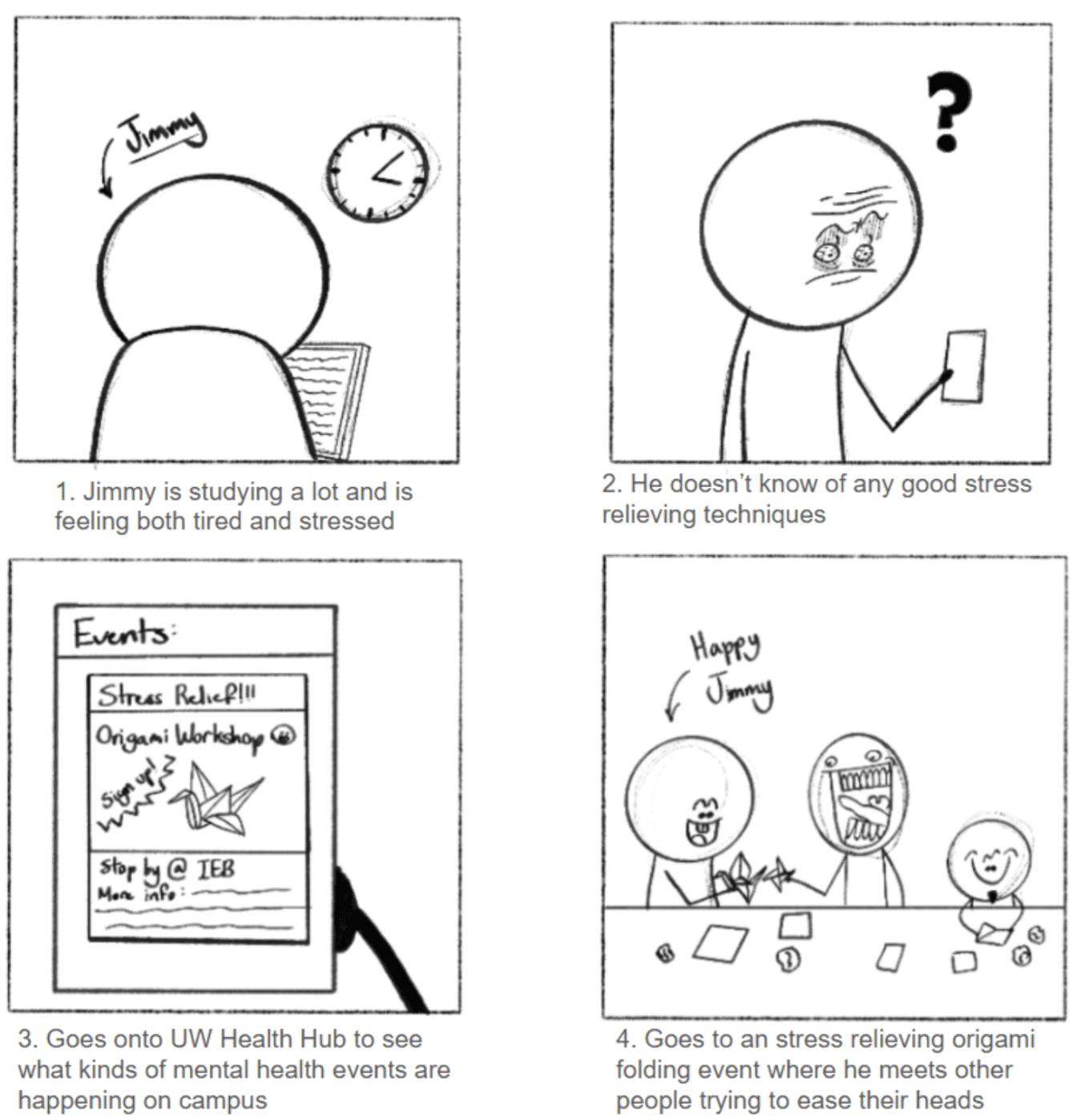
HuskyHush is an anonymous peer support platform that connects UW students with trained peer supporters through chat, while also helping them discover mental health events on campus.
02 RESEARCH
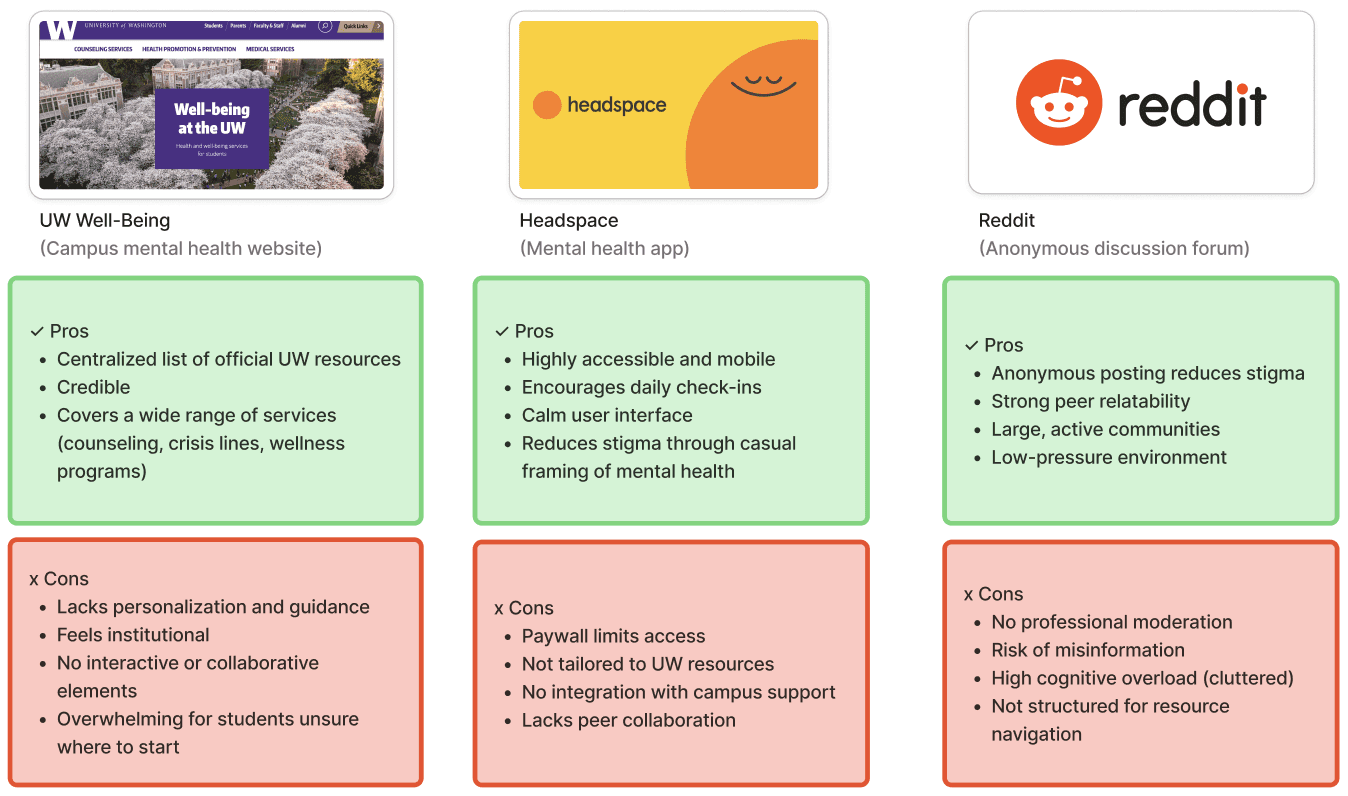
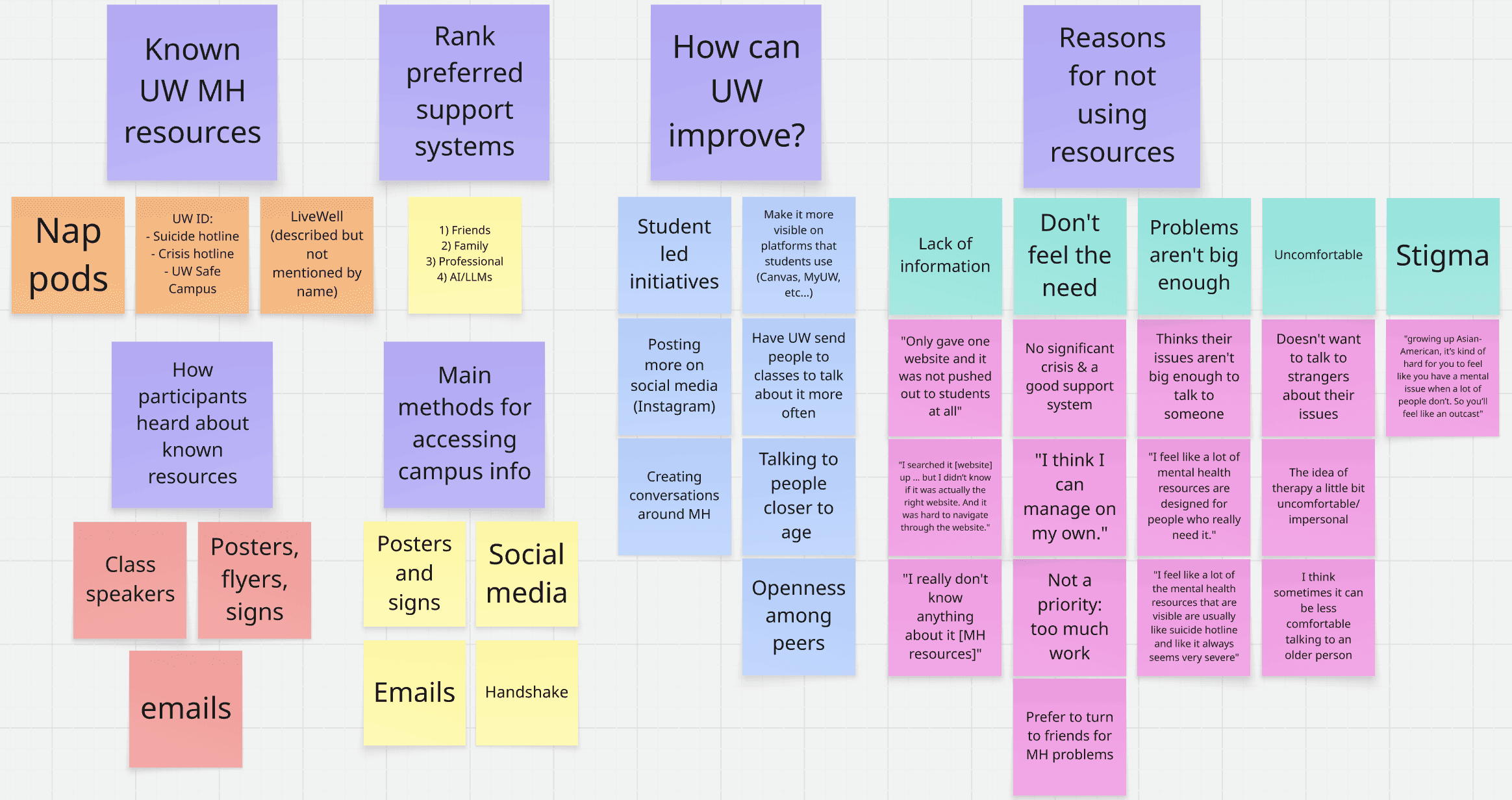
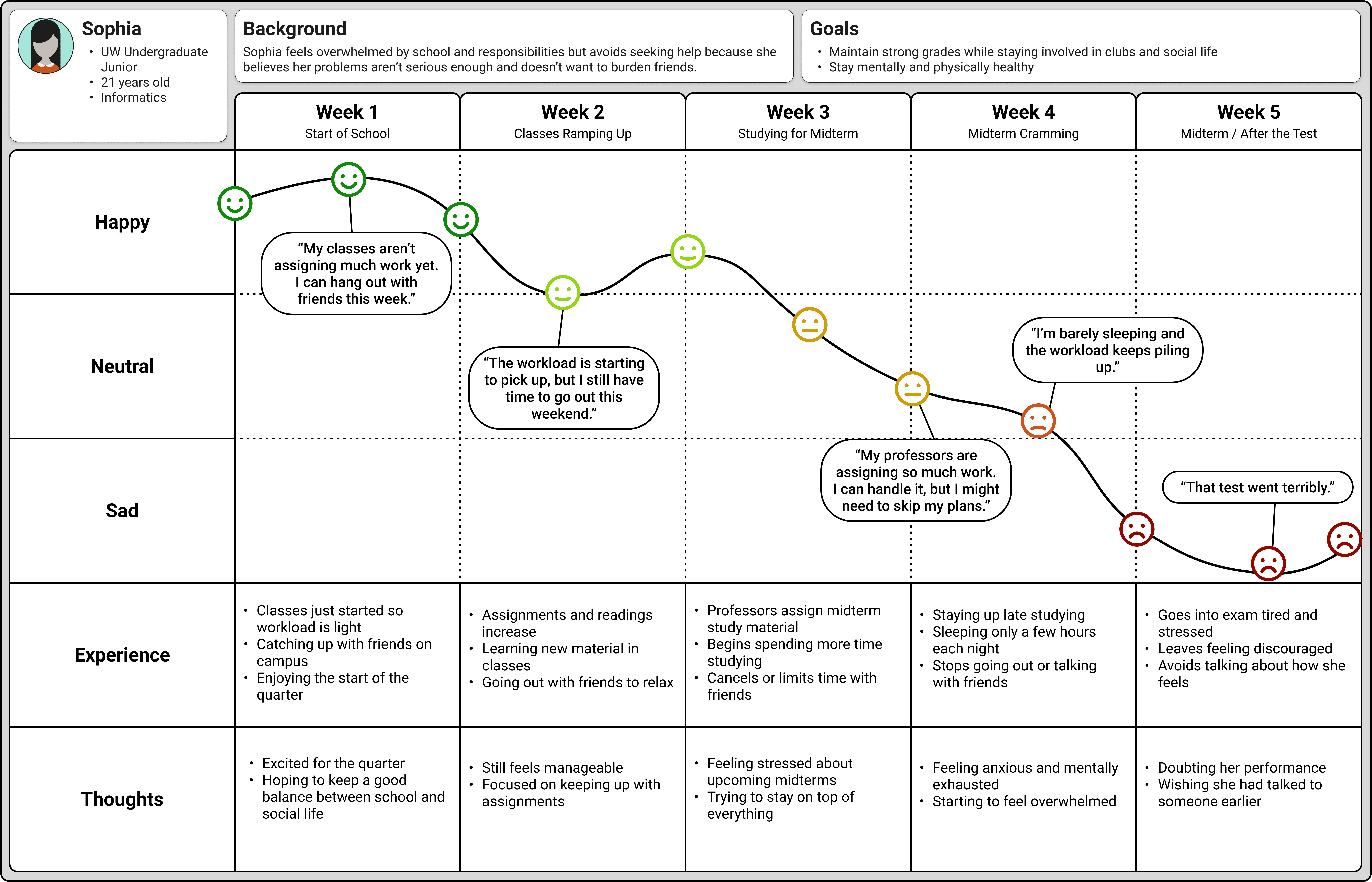
Students don’t know where to start
Participants described UW’s mental health sites as confusing and unclear. Even when they searched for help, they weren’t confident they were in the right place.
Therapy feels crisis-oriented
Most students associated campus mental health services with severe situations like suicide hotlines. Many felt their stress was “not serious enough” to qualify for support.
Peers feel safer than professionals
Every participant said they turn to friends before considering formal counseling. Peer conversations felt more relatable, less intimidating, and emotionally safer.
03 IDEATION
Based on our research insights, we defined requirements to guide the selection of our design:
Lower the barrier to seeking support
The solution should make it easier for students to take the first step toward support, even when their concerns do not feel severe.
Encourage peer connection
The design should support ways for students to connect with others in a relatable and low-pressure environment.
Improve clarity around available resources
The solution should help students better understand what support options exist and how to access them.
Create a safe and trustworthy experience
The design should promote a sense of emotional safety so students feel comfortable engaging with the platform.
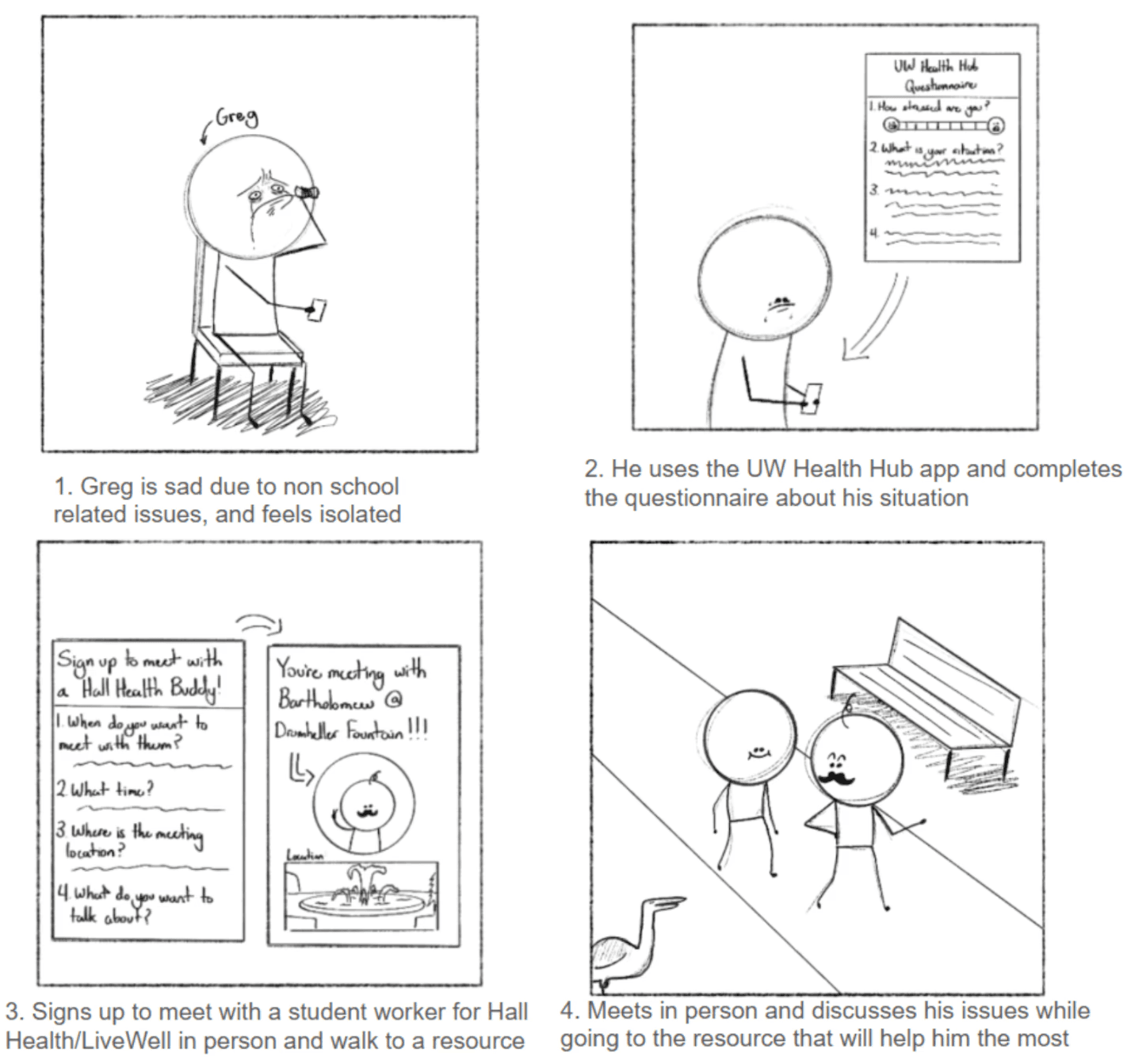
The anonymous peer support chat, later named HuskyHush, best aligned with our goals because it:
Lowers the barrier to seeking support through low-pressure peer conversations
Encourages relatable peer connection rather than formal counseling as a first step
Provides a pathway to campus resources if additional support is needed
Creates a safe and approachable experience for students seeking help
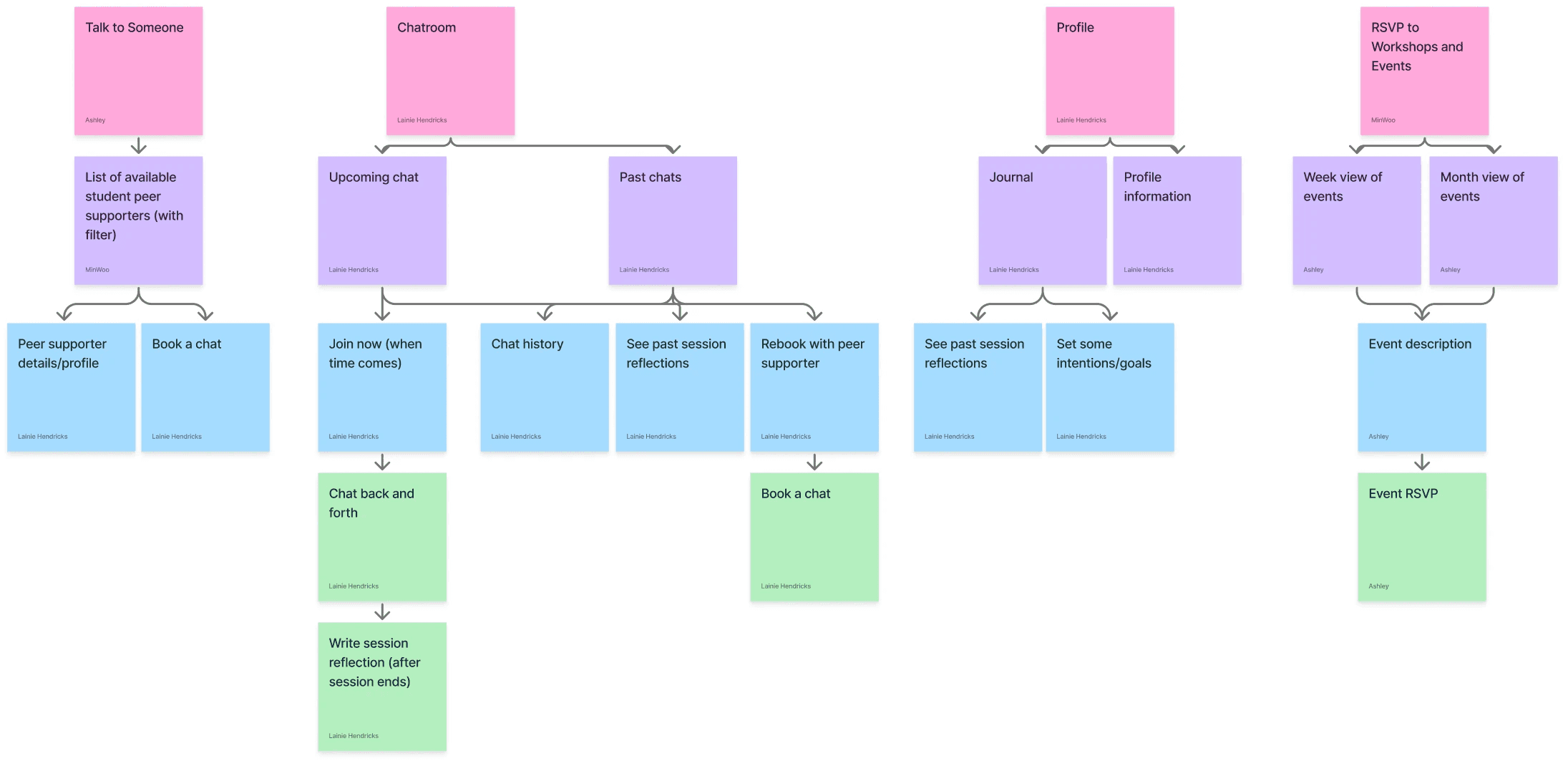
04 STRUCTURE
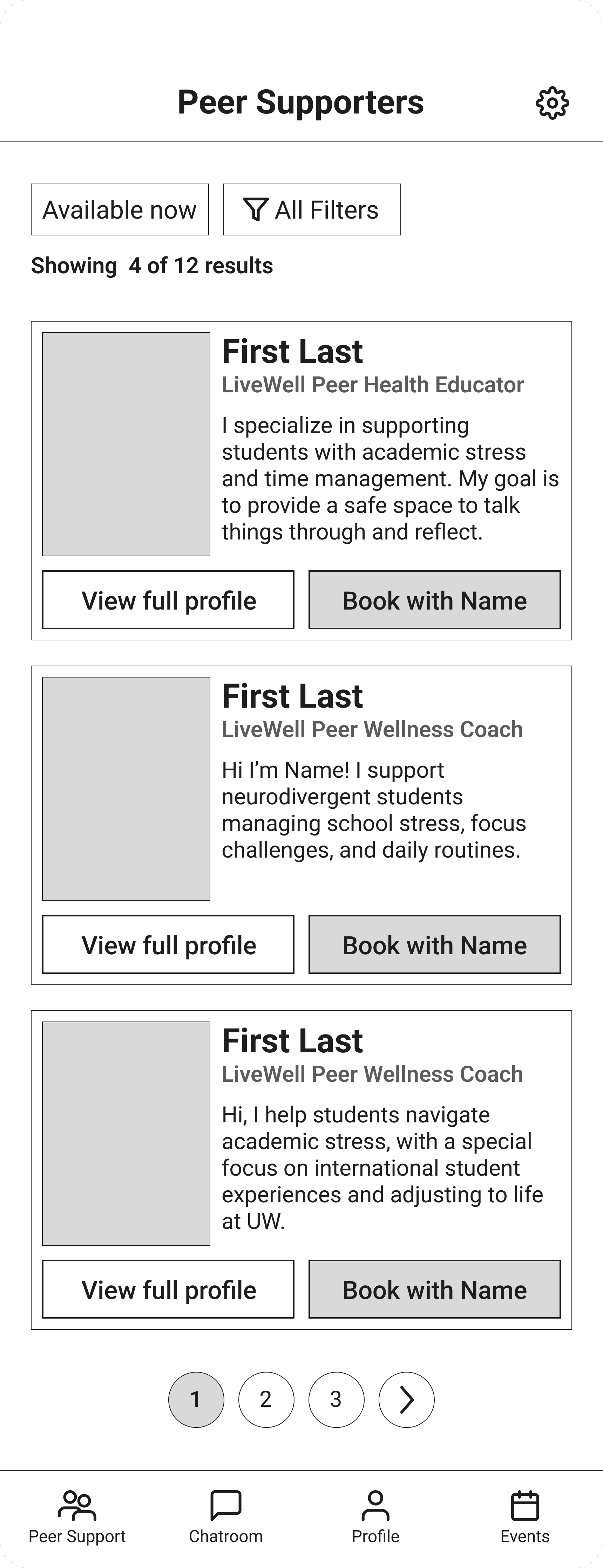
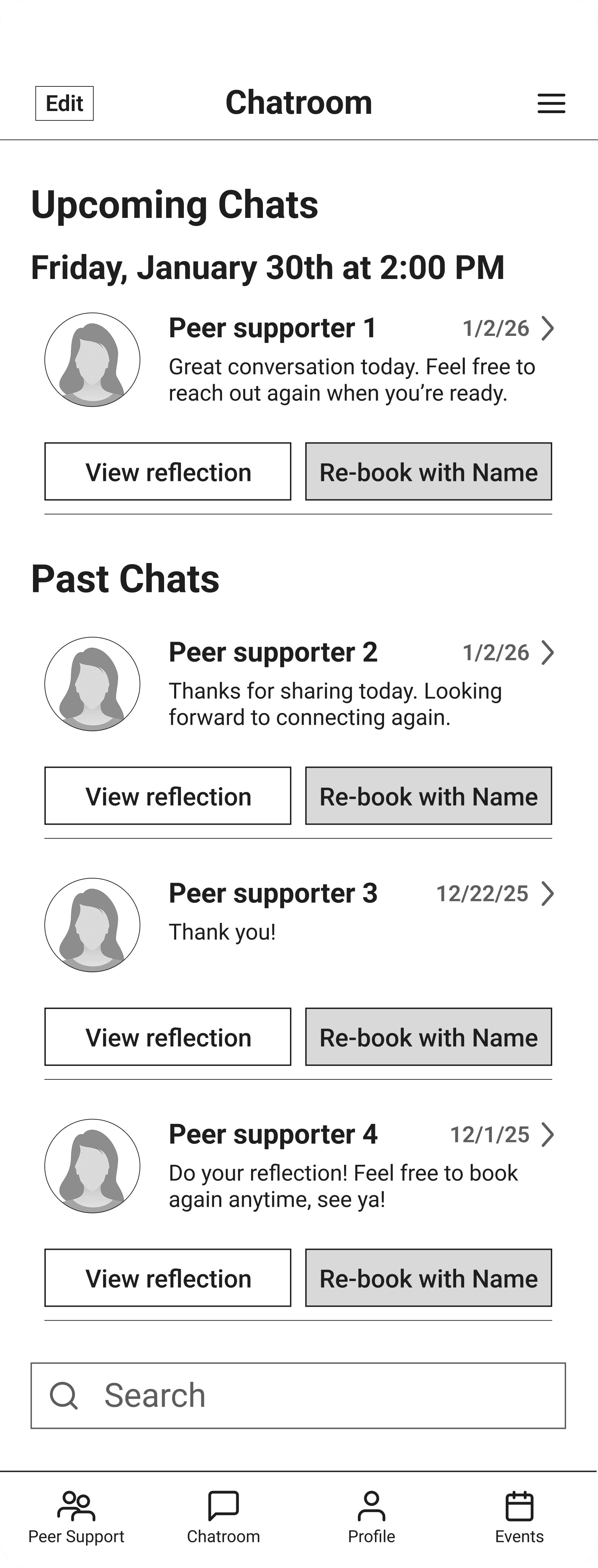
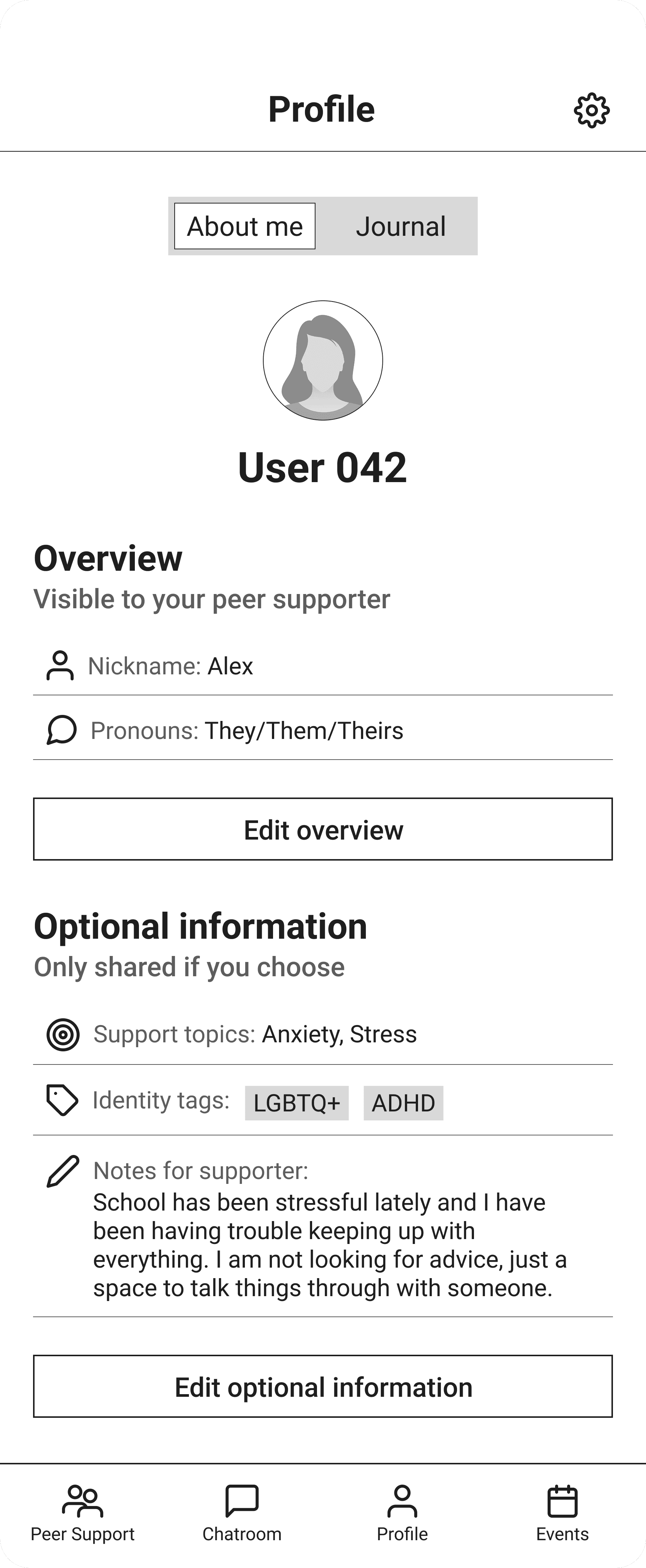
05 LOW-FIDELITY PROTOTYPE
Improve ways to find peer supporters
Participants suggested adding search or filter tools to help them find supporters that match their needs.
Reduce onboarding and navigation confusion
Participants said the layout felt simple but might take time to understand and recommended clearer navigation and labeling.
Integrate with existing tools
Participants suggested integrating tools like Google Calendar to make scheduling sessions easier.
06 MID-FIDELITY PROTOTYPE
Expanded core user flows and introduced consistent UI components
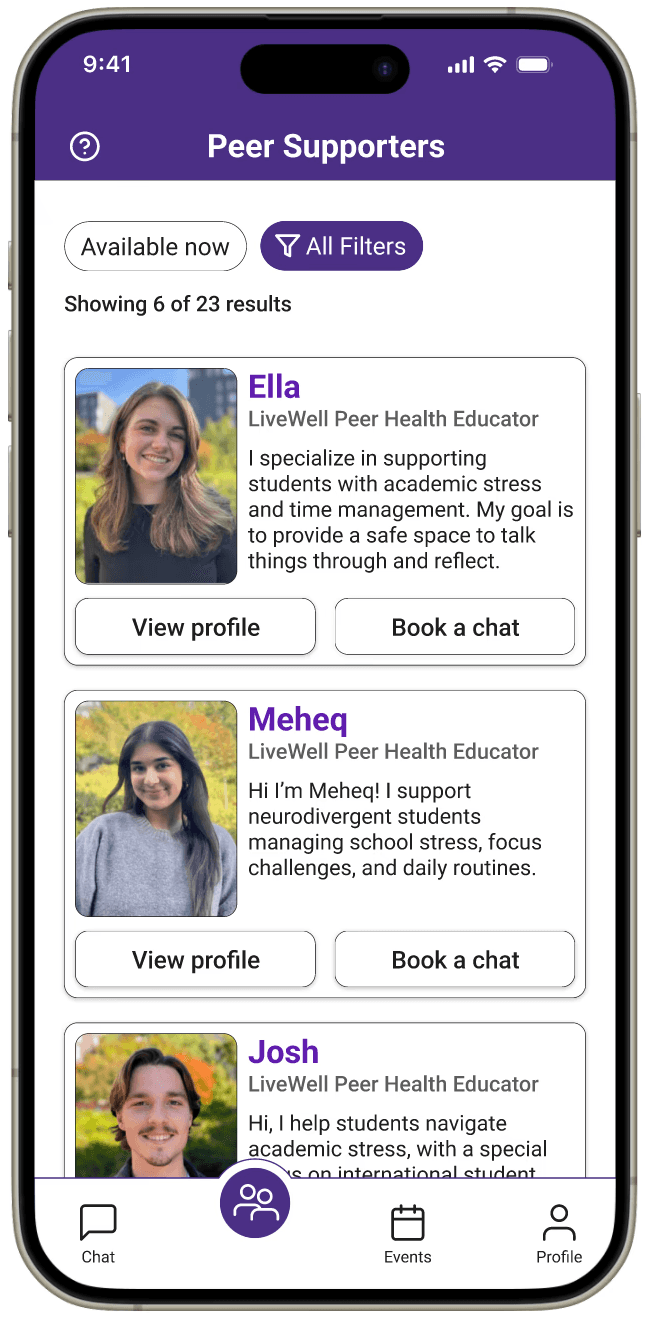
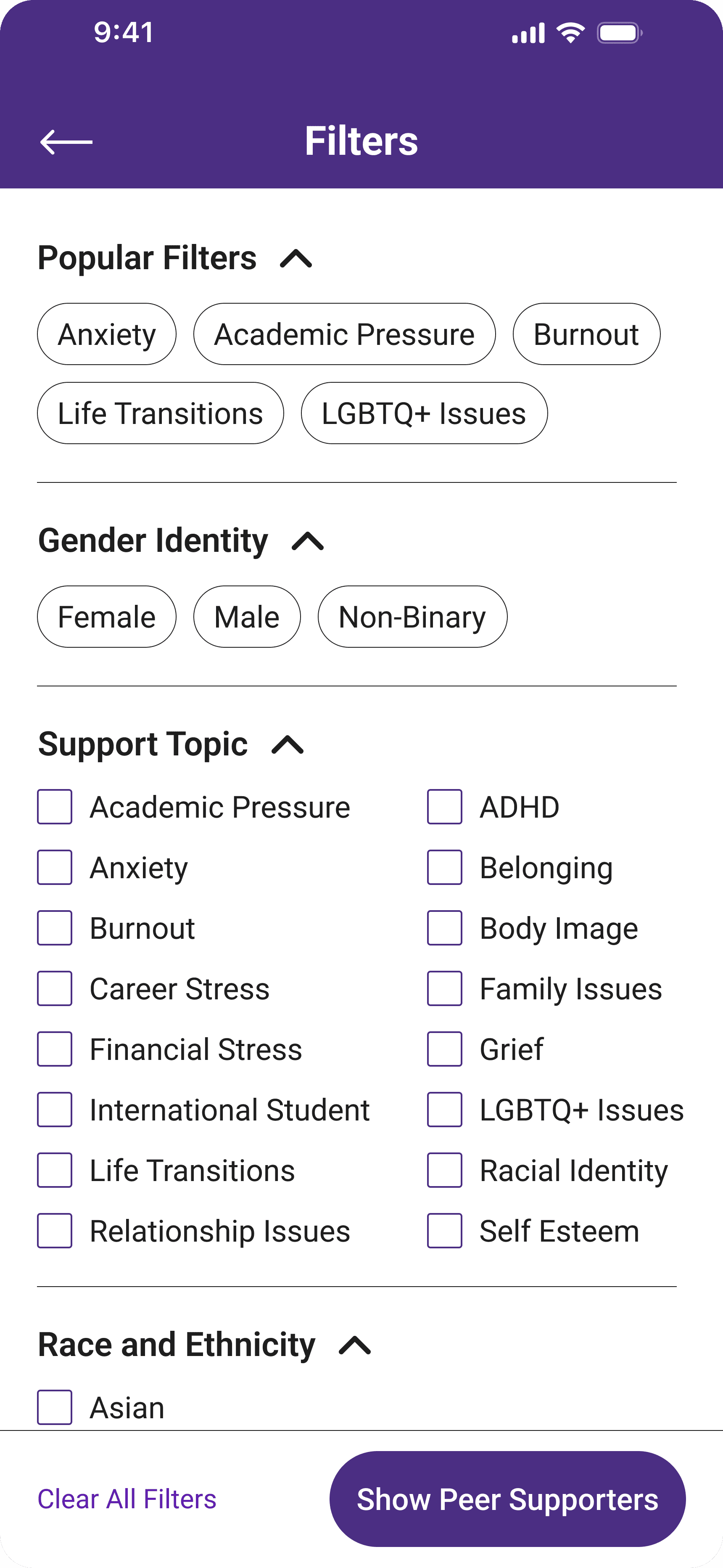
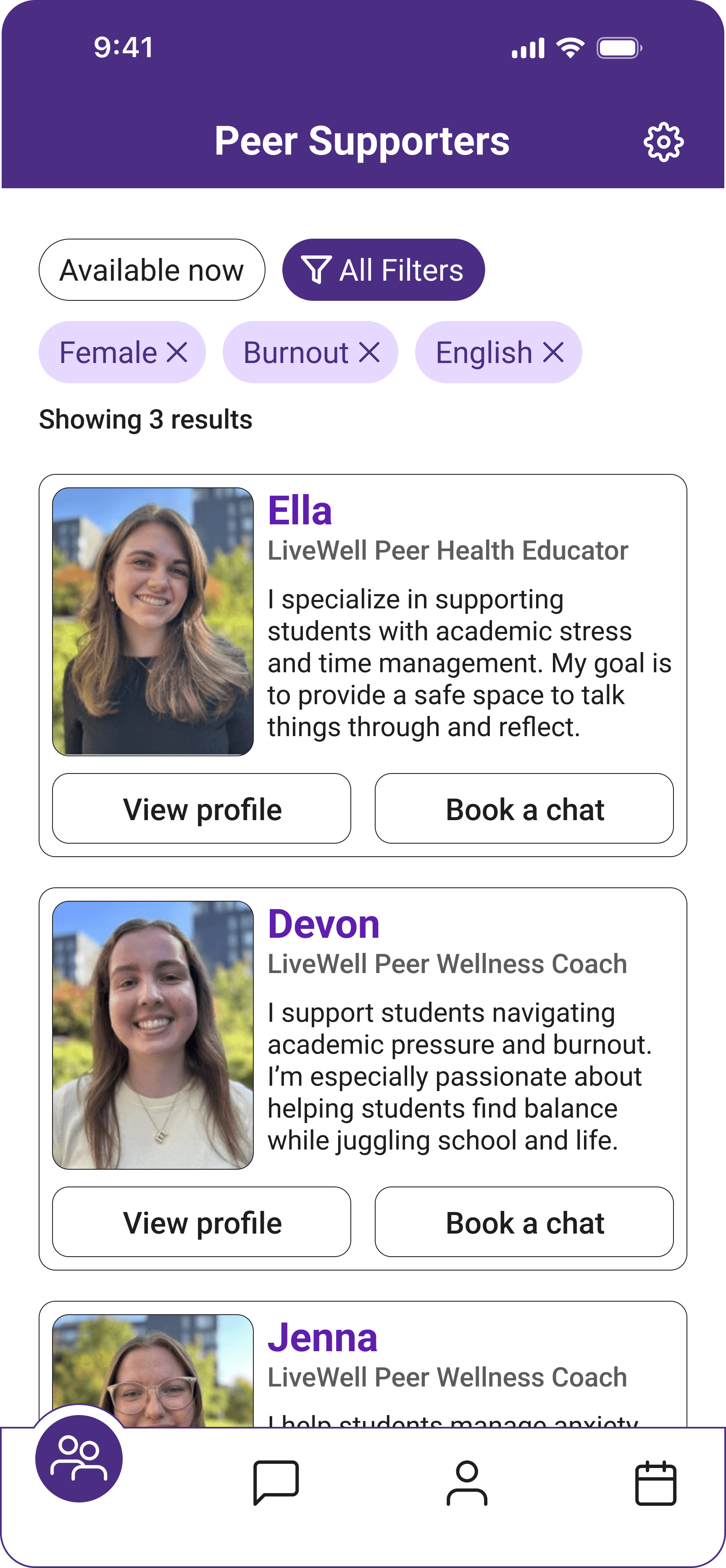
Improved peer supporter discovery
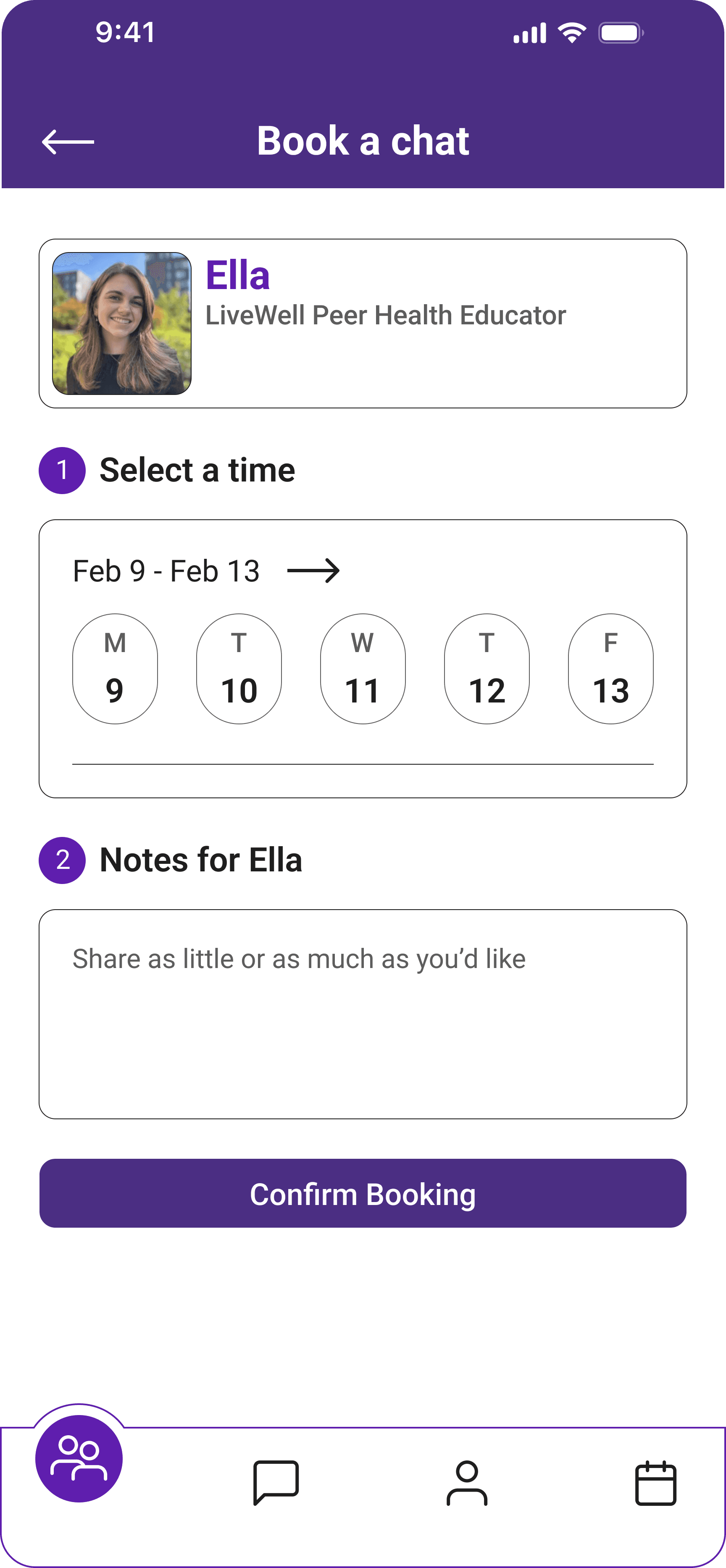
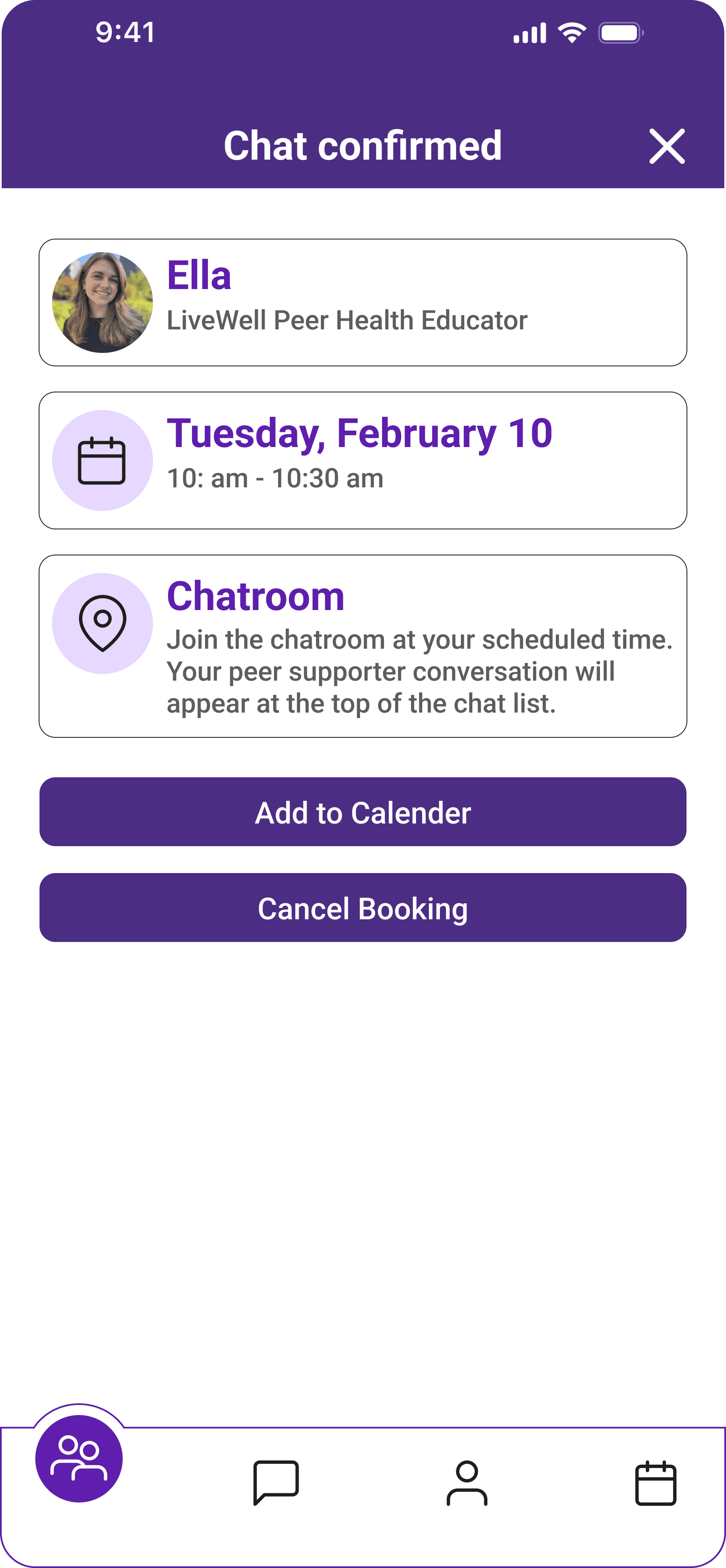
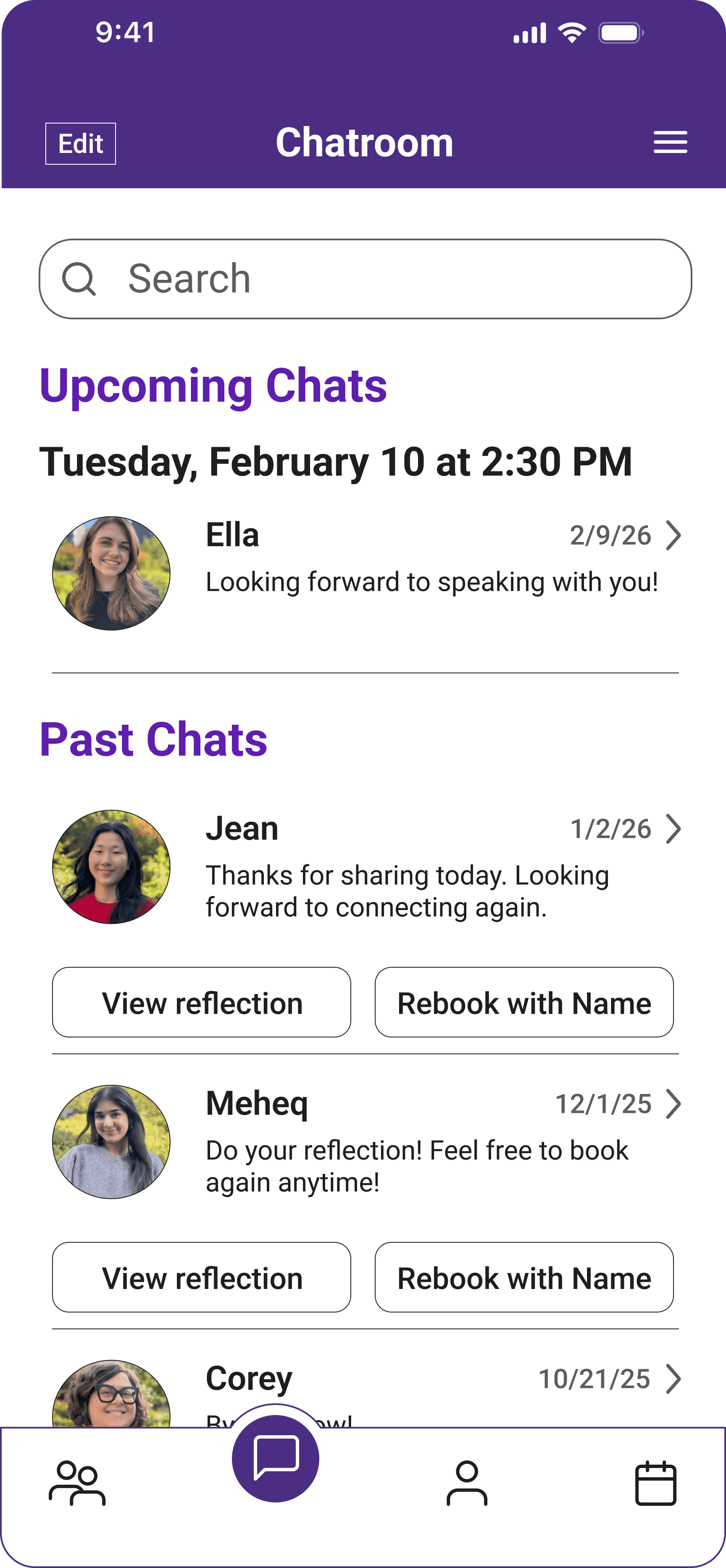
Created a homepage showing available peer supporters with a filter screen. Selecting a supporter now leads to a booking and confirmation flow.
Calendar integration for scheduling
The booking confirmation screen includes an option to add the session to a calendar, addressing feedback about tool integration.
Clearer navigation and onboarding
Refined navigation icons, added clearer page titles, and made the navigation bar more visually distinct.
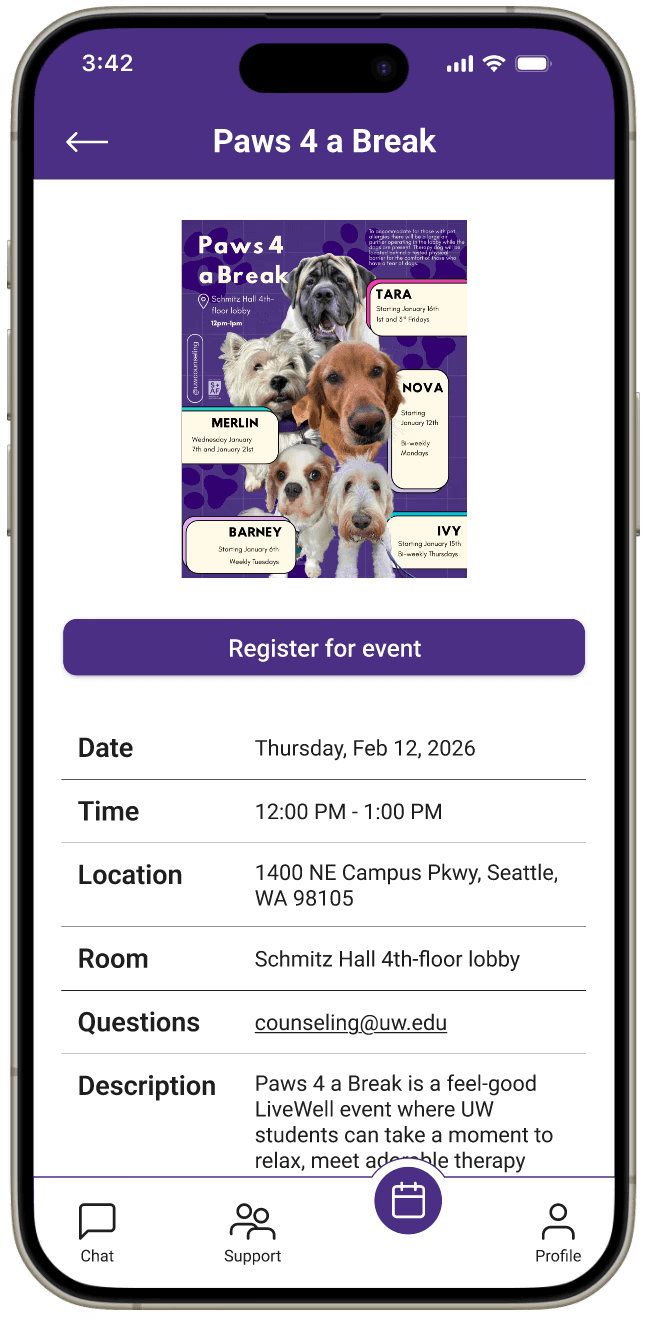
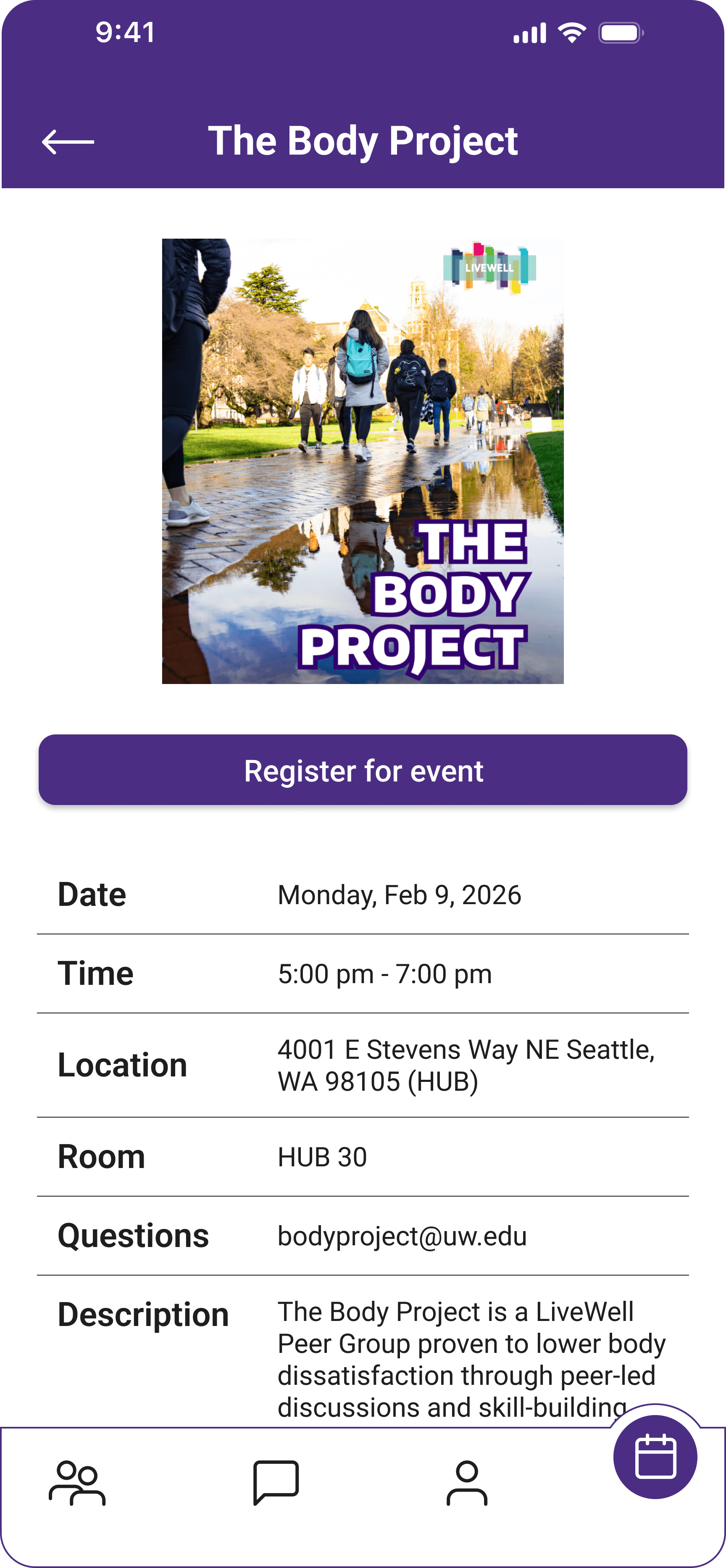
Improved access to campus resources
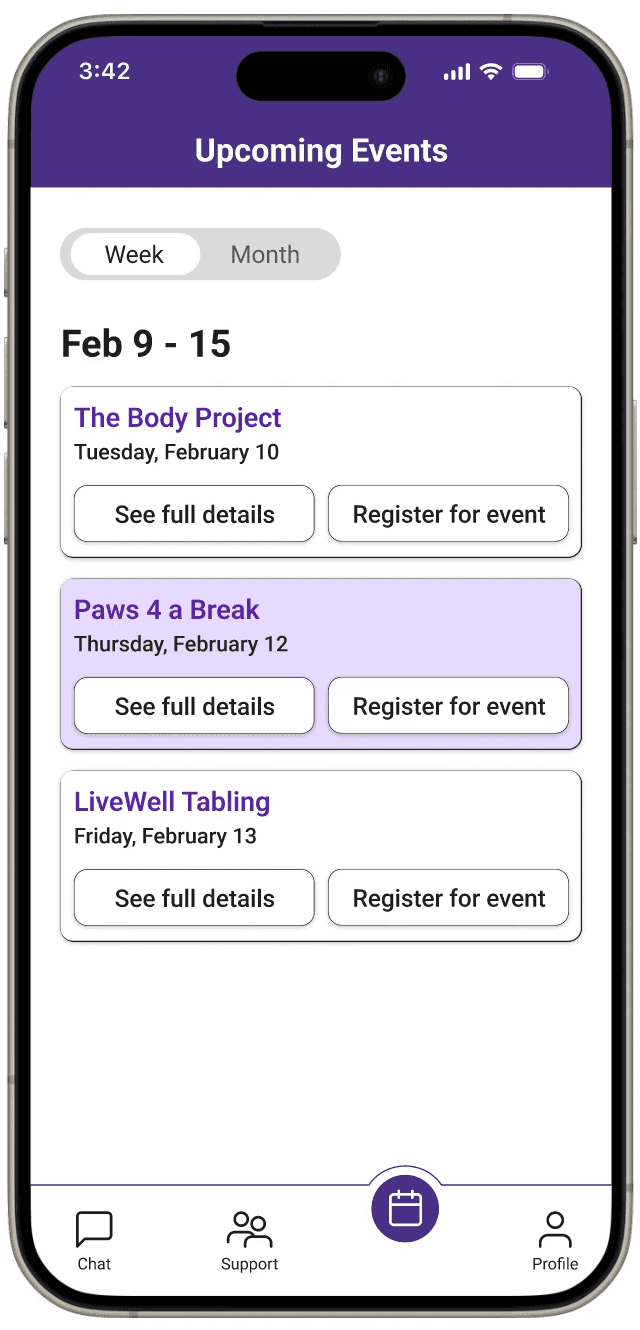
Added a detailed event screen where students can view information and register directly through the app.
Clearer explanation of the platform
Users asked questions about how peer support works and what to expect when starting a conversation.
Safety and moderation concerns
Participants and experts raised concerns about misuse and asked how inappropriate behavior would be handled.
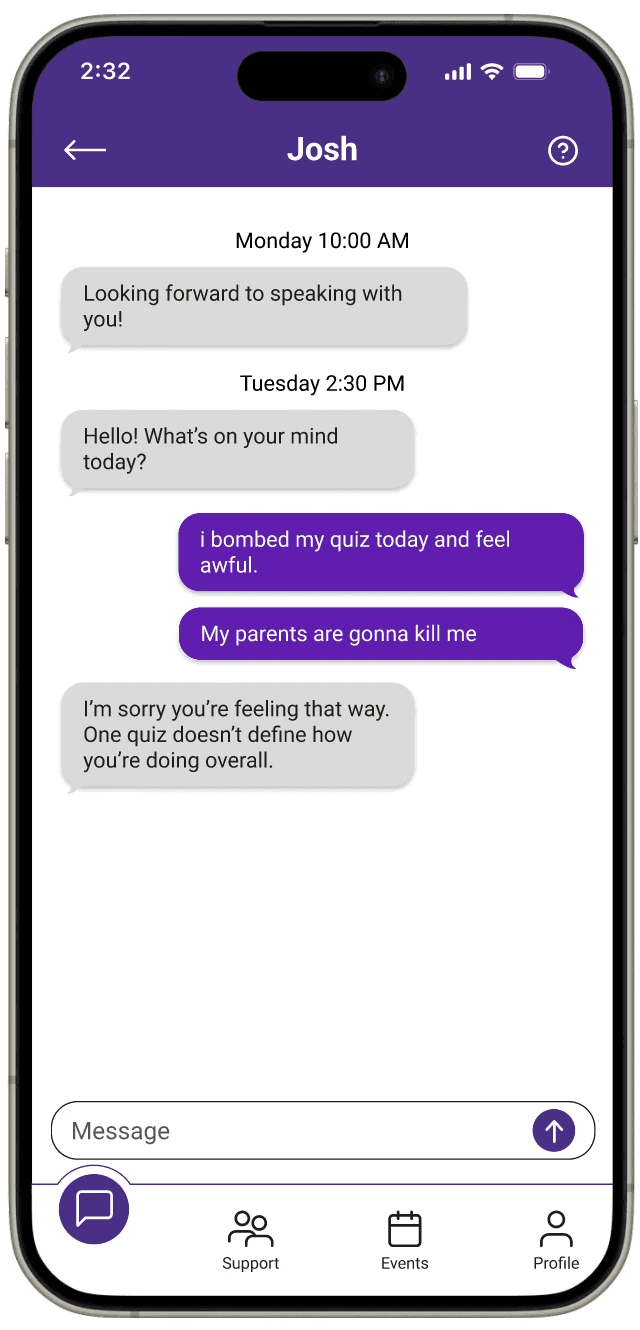
Understanding peer support chat
Users suggested seeing an example conversation to better understand how peer support interactions work.
Interface clarity
Experts recommended clearer labels and interface cues to help users understand features.
07 HIGH-FIDELITY PROTOTYPE
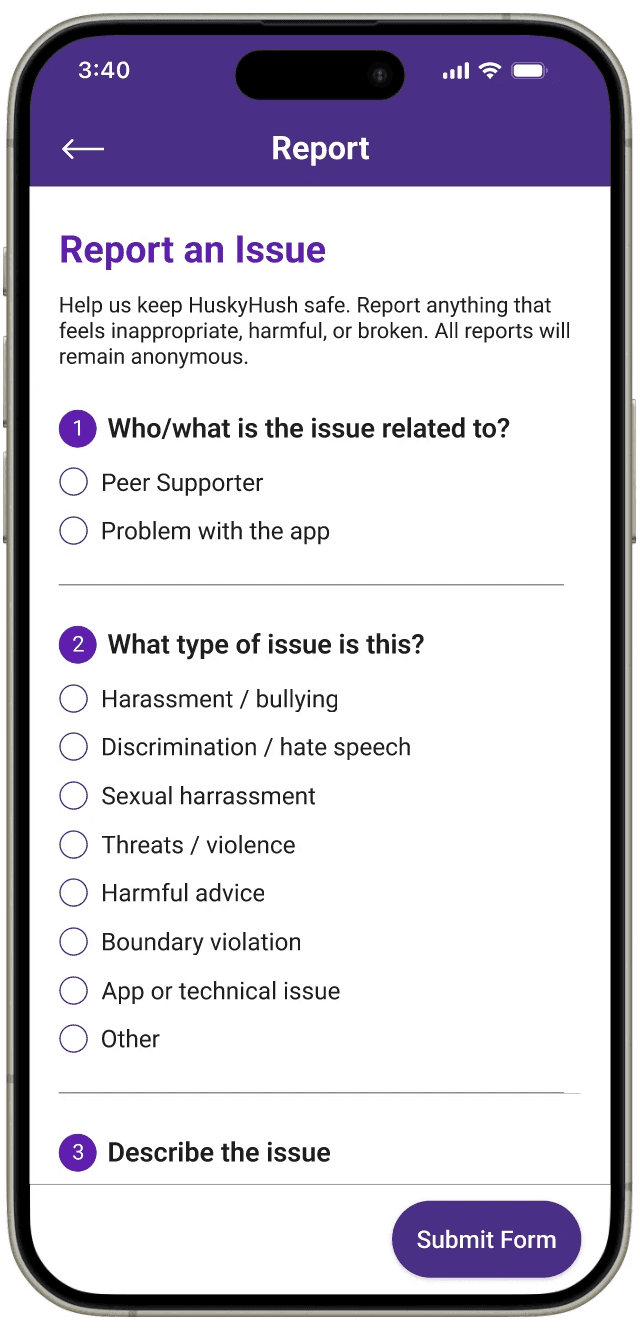
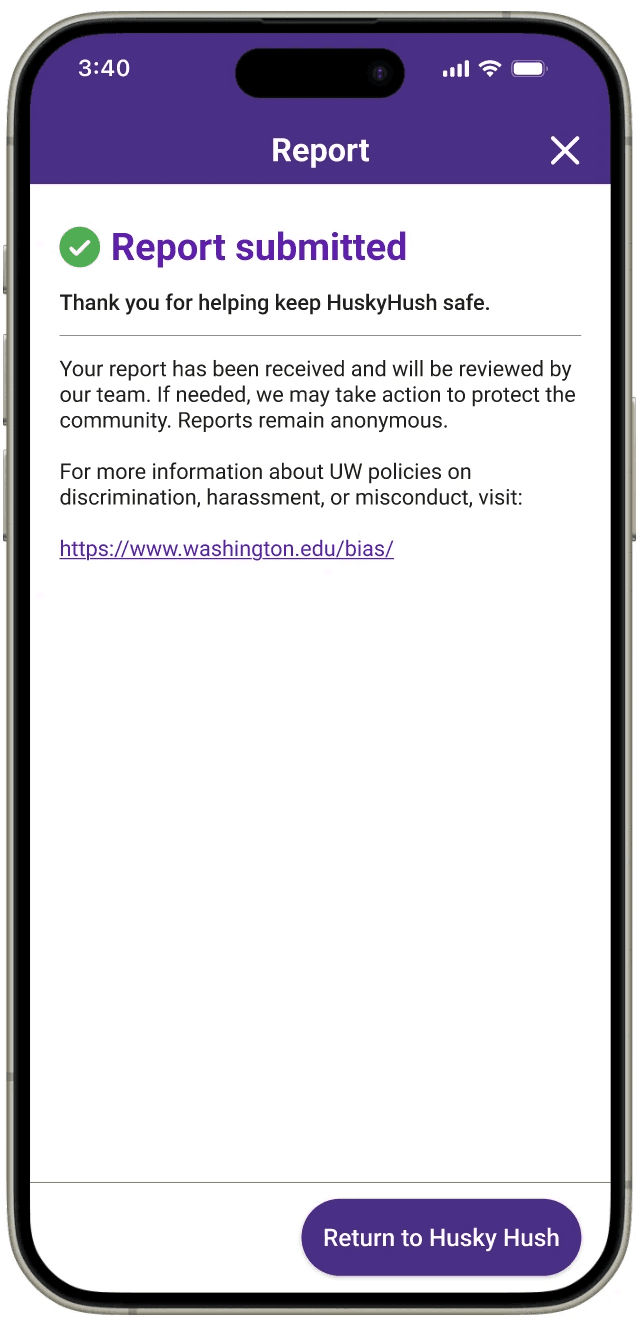
Added safety and reporting features
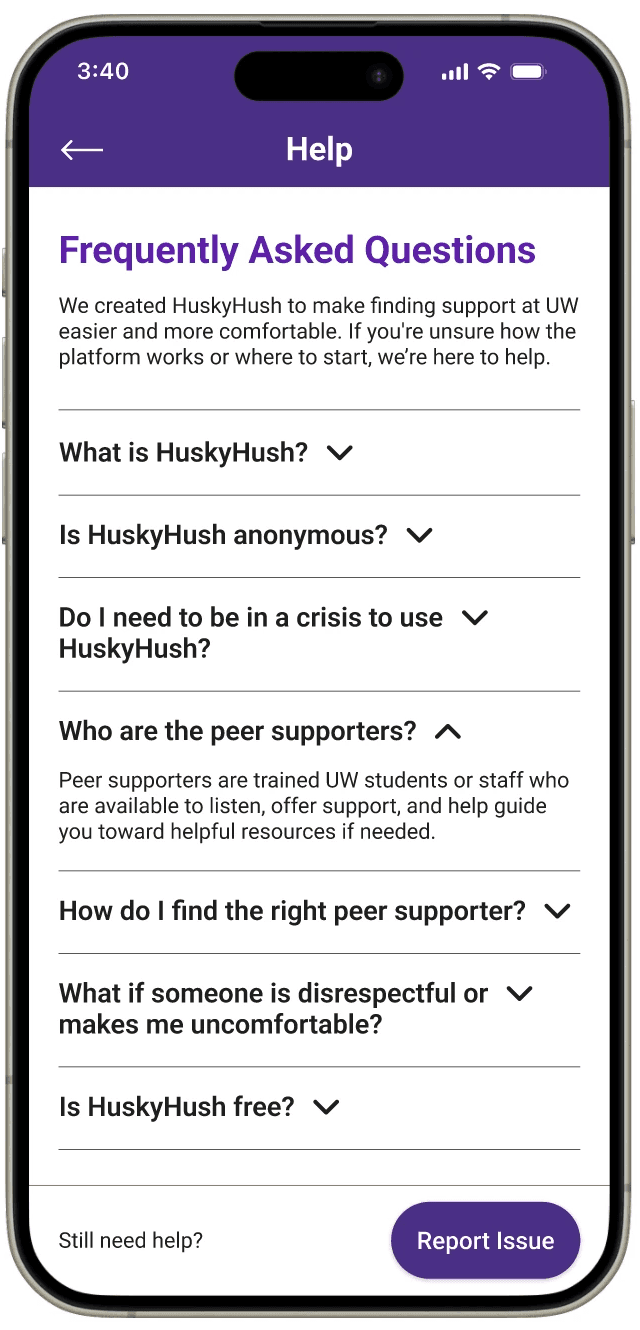
Introduced a FAQ page and report function so users can flag misconduct, safety concerns, or technical issues.
Improved clarity of peer support interactions
Added an example chat conversation to show what interacting with a peer supporter looks like.
Improved navigation and usability
Reorganized navigation so Support became the homepage and added labels to the navigation bar.
Refined the events interface
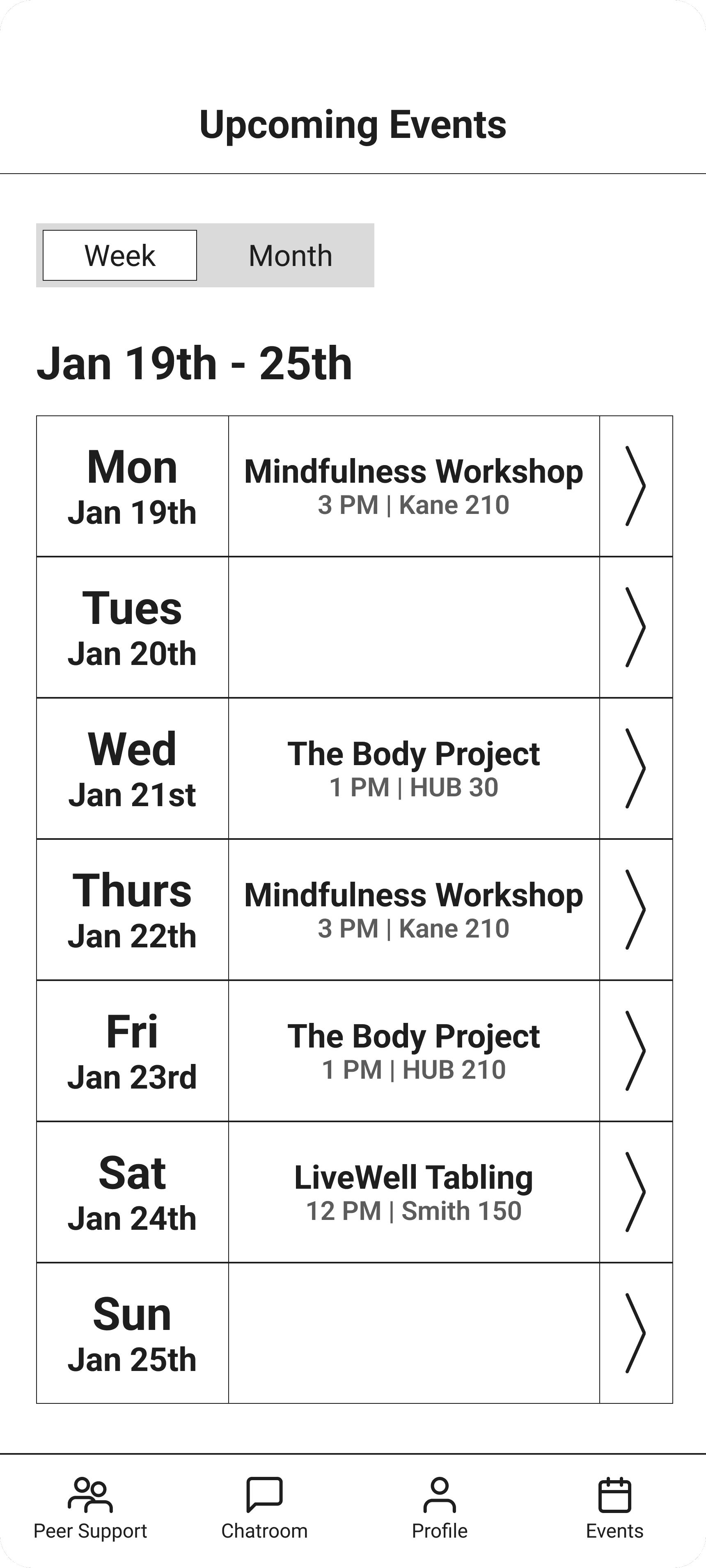
Updated the events calendar to display only days with events.
The following demo shows Alex using HuskyHush to discover peer support and campus mental health resources.
TAKEAWAYS
Designing for emotional safety
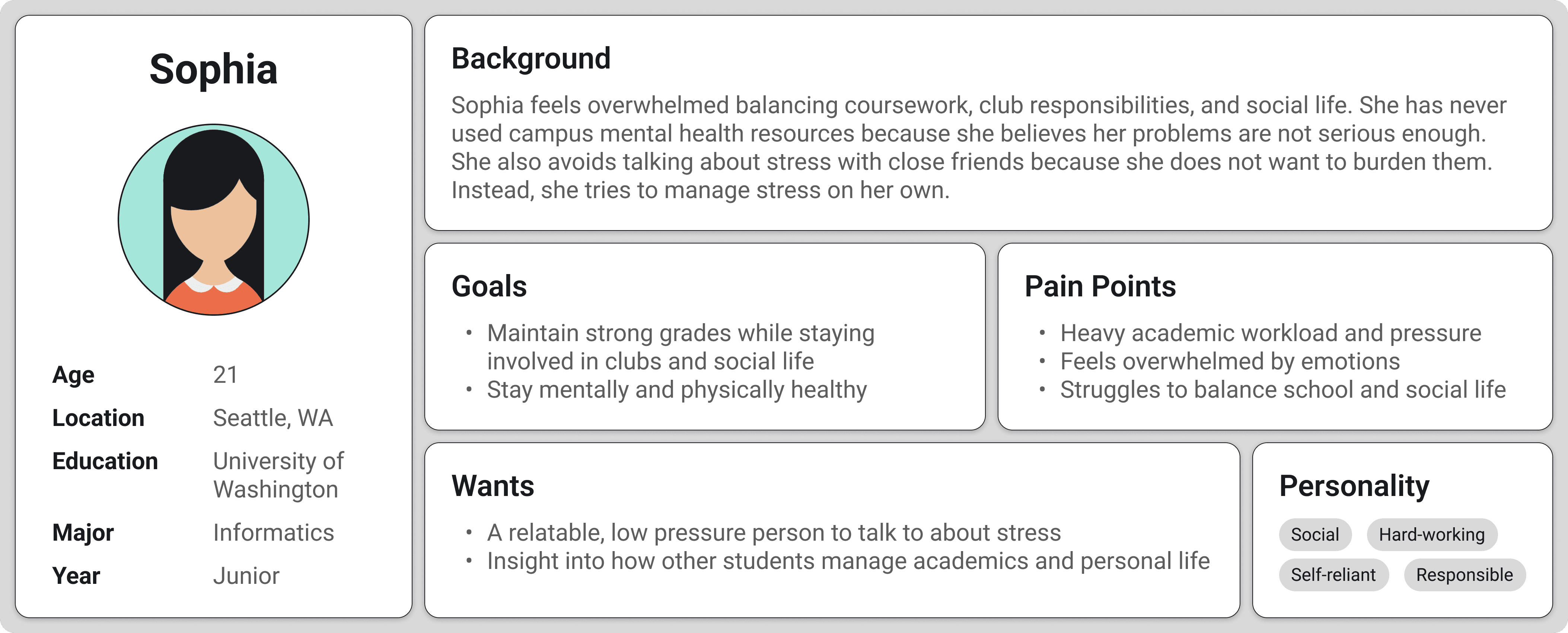
Students often hesitate to seek support because they feel their problems are not “serious enough.” This project emphasized the importance of making support feel approachable, private, and low-pressure.
Learning from iteration
User testing revealed confusion around navigation and how peer support works. Iteration helped clarify the supporter discovery flow and improve filtering, booking, and navigation.
Balancing openness and safety
Because the platform supports anonymous conversations, moderation and reporting features became essential design considerations.
IMPACT
Participants were able to complete key tasks such as finding peer supporters, scheduling chats, and registering for campus events. Many said anonymity made them more comfortable starting a conversation.
Future work would focus on improving scheduling, adding calendar integrations, and testing the platform with a larger group of students.